IQ Option Account Verification: Documents, Steps & Processing Times

This page lays out the verification workflow, the specific documents typically accepted, how to upload clear images, expected review times, and practical steps to fix common rejections. Use these guidelines to prepare your files, avoid avoidable delays, and understand which account actions remain restricted until approval.

What types of documents do you accept?
There are various documents that you may be asked to upload, depending on the specific rules in your area. We accept the following documents:
Valid proof of identity:
- Passport (photo page only)
- National ID card
- Driver’s license
- Residence permit
Valid and recent proof of address:
- Utility bills: gas, water, electricity, or phone
- Bank statement/letter mentioning your current account with the bank (photo/scan of the original letter or PDF statement)
- Tax bill
- An official certificate of residence issued by the local town hall (municipality)
The information you provide must match the information in your documents. This will help us speed up the verification process.
How do I verify my account?
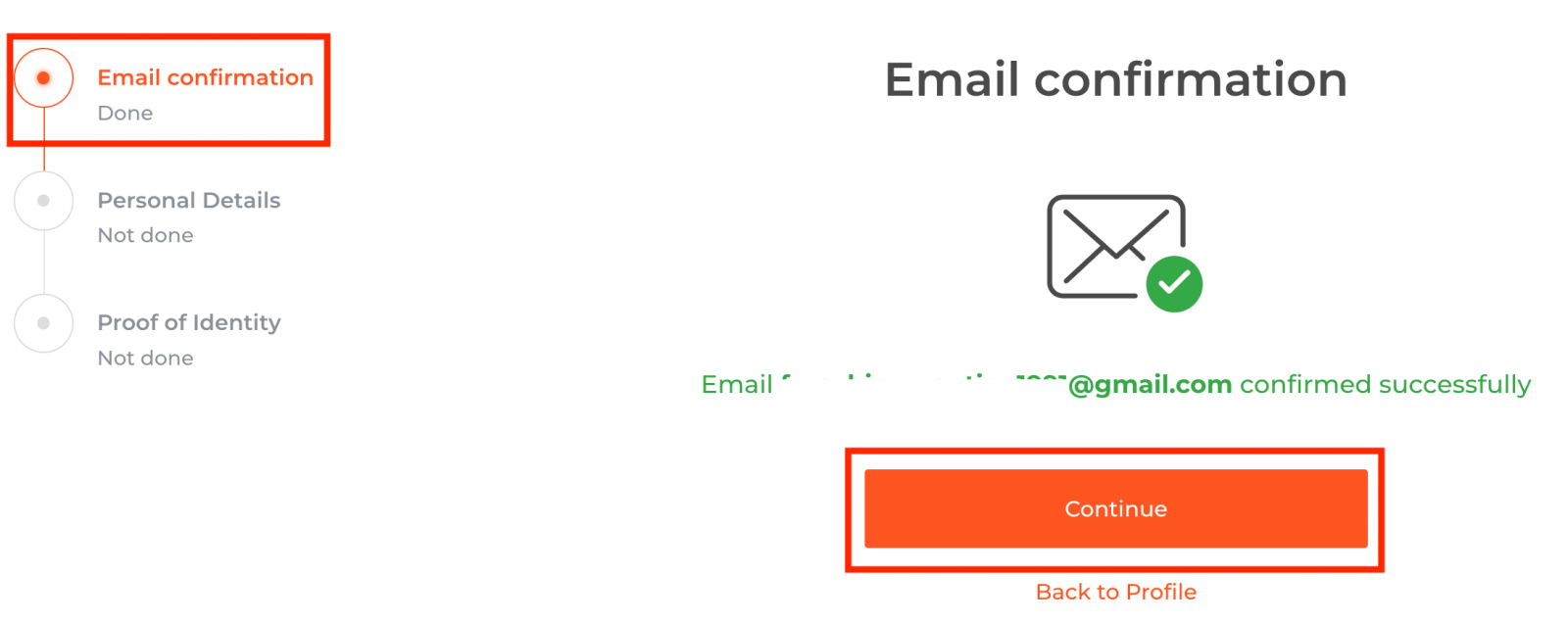
To verify your account, please click the red line ‘Verify email address’ as shown here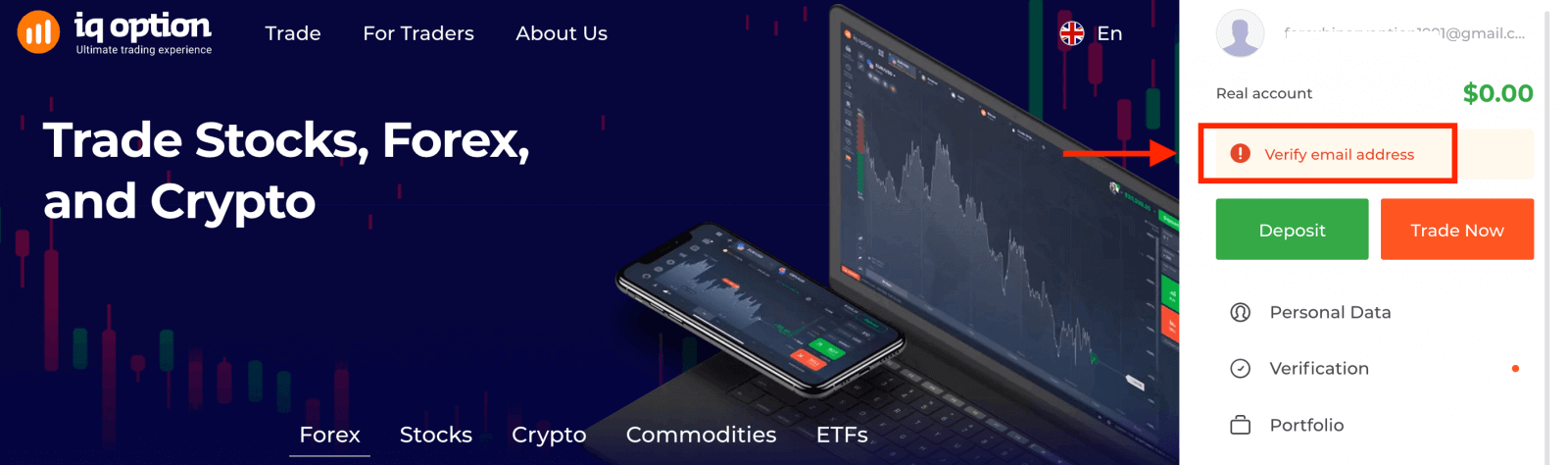
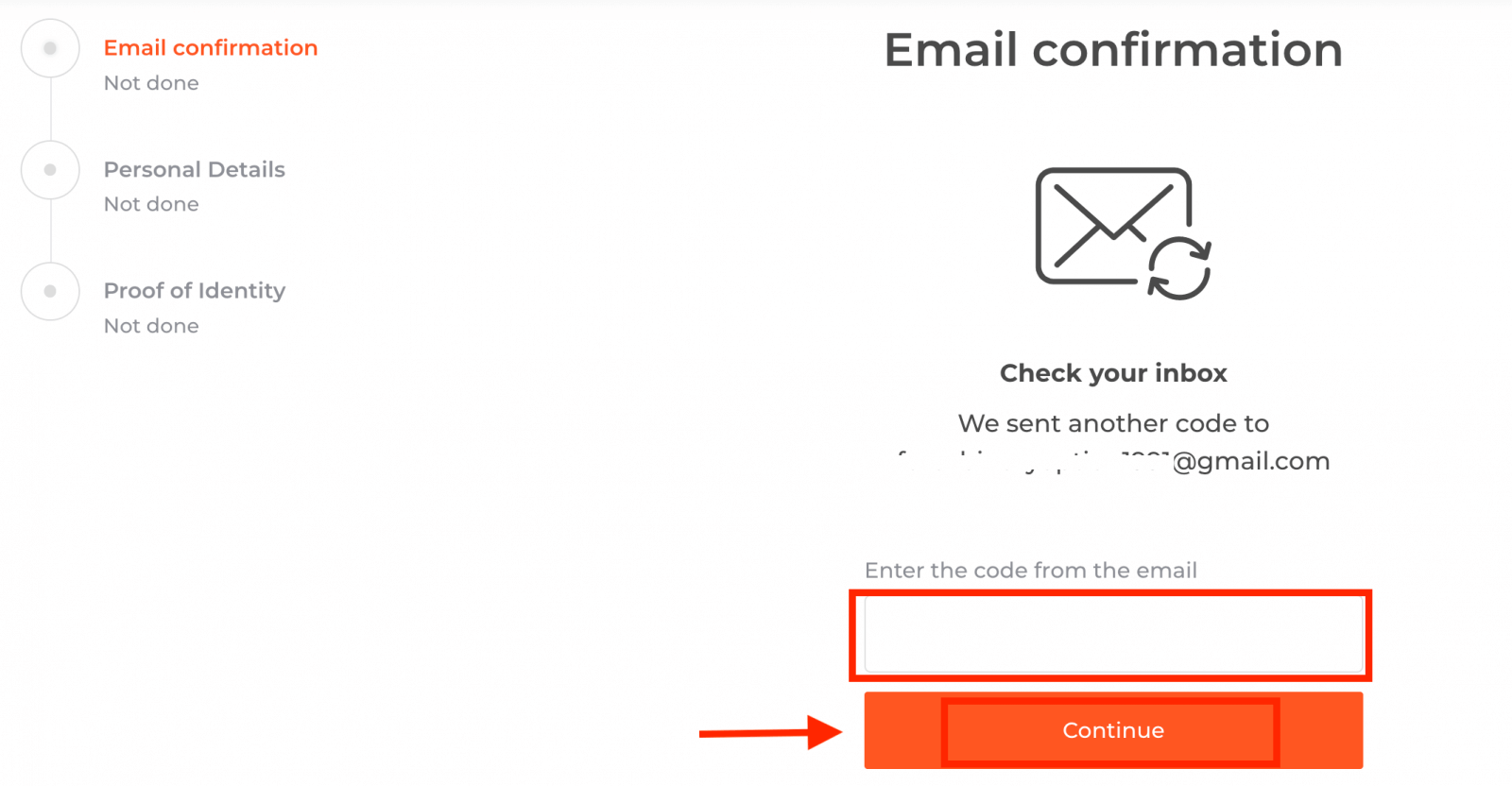
Step 1: confirm your e-mail. In the process of signing up, you’ll receive an email with a confirmation code. Enter this code in the relevant field
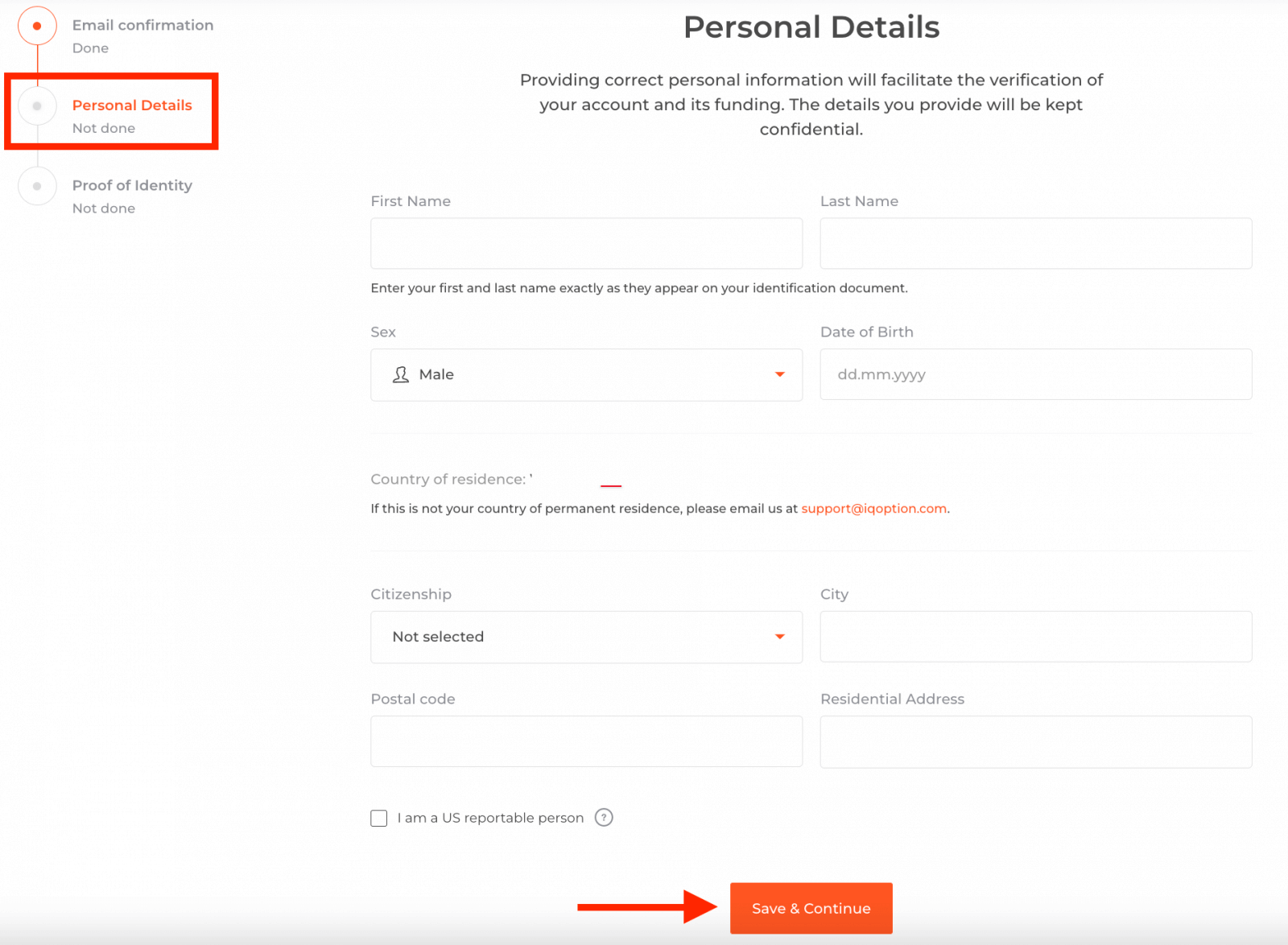
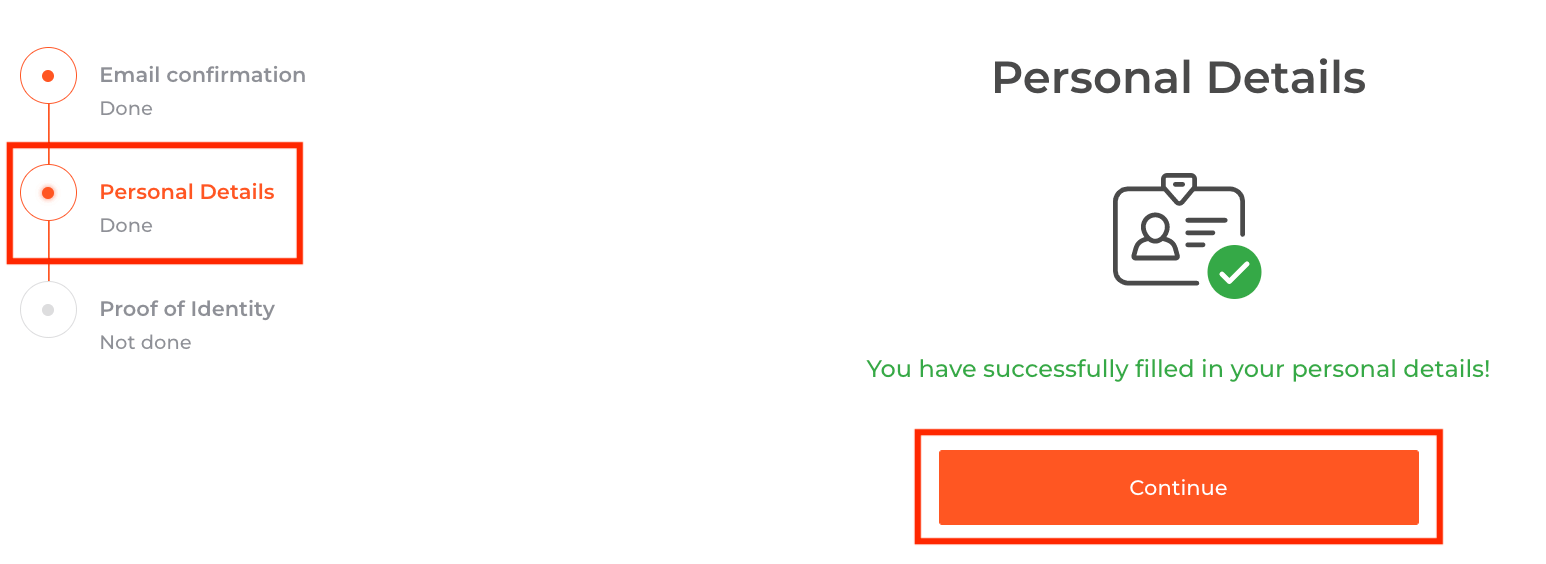
Step 2 is essential for completing the verification procedure
Step 3 requires you to upload your documents for verification:
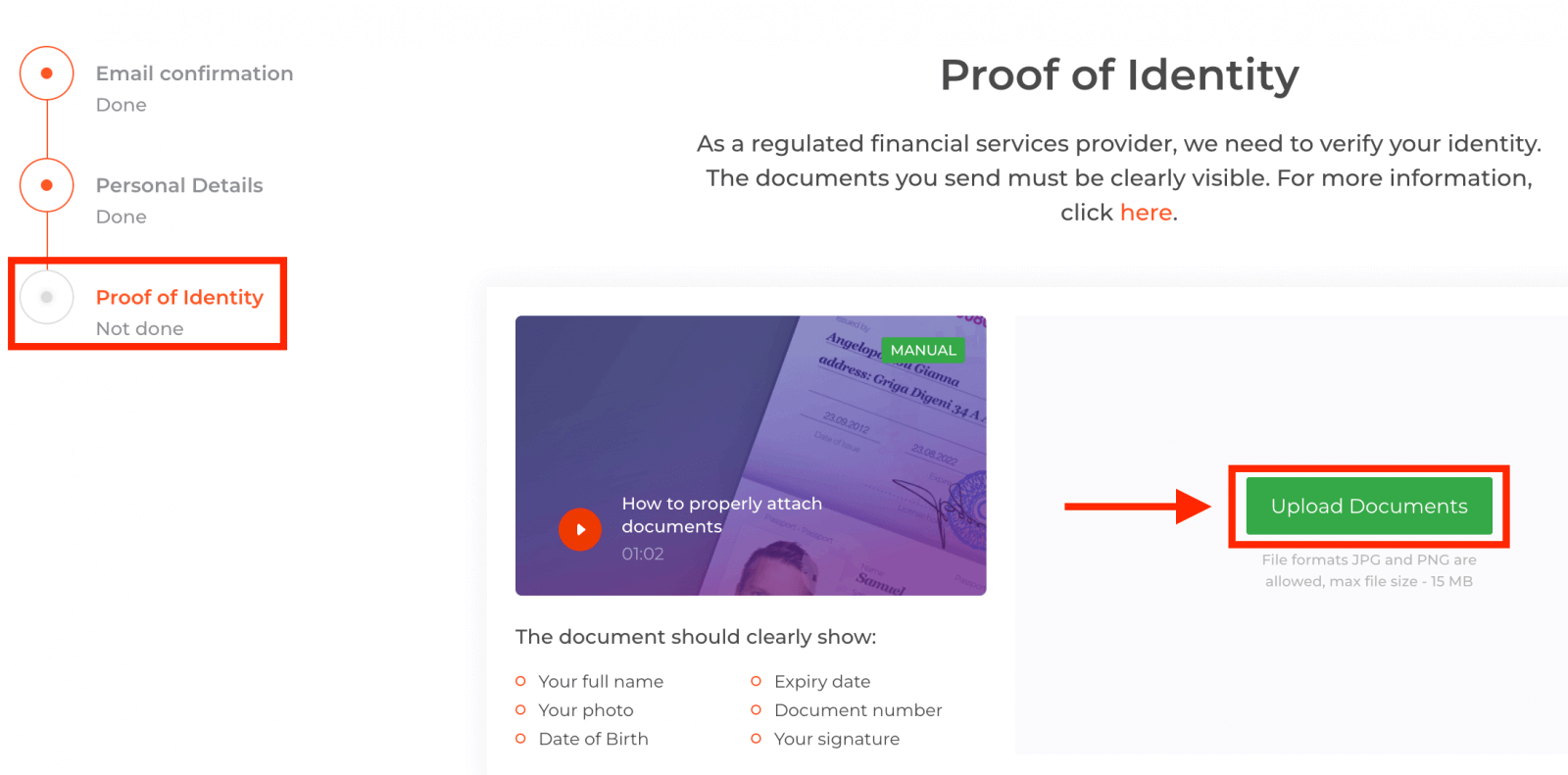
To pass the verification process, you will be kindly asked to upload your documents on the platform using the links given below:
1) A photo of your ID. Provide a scan or a photo of one of the following documents:
- Passport
- ID Card both side
- Driver’s licence both side
- Residence permit
The document should clearly show:
- Your full name
- Your photo
- Date of Birth
- Expiry date
- Document number
- Your signature
2) If you used a bank card for depositing money, please upload a copy of both sides of your card (or cards if you used more than one to deposit). Please remember that you should hide your CVV number and keep visible the first 6 and the last 4 digits of your card number only. Please make sure that your card is signed.
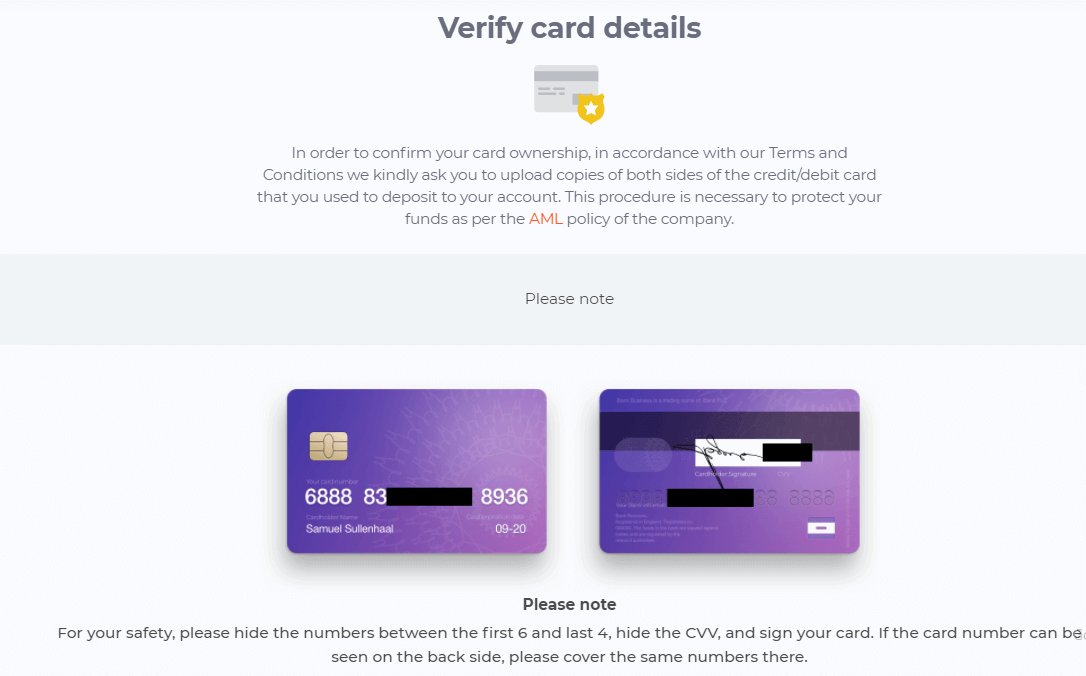
If you use an e-wallet to deposit funds, you need to send IQ Option a scan of your ID only.
All the documents will be verified within 3 business days after you make a withdrawal request.
Why do I need verification and how long does it take?
We are a financial institution, and that’s why we need to know who is using our services. So, when you open an account with us, we are required to verify your identity.
We strive to provide the fastest possible verification. However, sometimes we have to do extra checks, which can take some time (at least 48 hours).
As soon as your documents are verified, we will notify you of the results. You can also track the progress and status of your document verification on our website or in our mobile app.
How does verification affect my trading account?
Trading, deposits or withdrawals may be limited until the account is verified, depending on your region.
When requested, please follow the verification steps to ensure that your account is fully verified according to the specific rules in your area to avoid possible restrictions and limits.