IQ Option Account Registration: Open a Trading Account and Register
Writen By

Online Trading Platform Researcher and Guide Writer
Researches broker platforms and trading account Systems.
Getting an IQ Option account approved and ready for live trading often hinges on a few simple steps that trip up beginners: choosing the right account type, preparing acceptable ID and proof of address, and using a supported payment method. Many users waste time by uploading blurry documents, attempting deposits before verification, or not setting up basic security. Preparing clear ID scans, a recent address document, and the card or e‑wallet details you’ll use for funding keeps the process smooth and reduces delays.
Use the checklist here to complete registration, verify identity, and fund your account in the correct order so you can access the platform without surprises. The walkthrough covers creating credentials, confirming email and phone, uploading KYC documents, linking a payment method, enabling two‑factor authentication, and common fixes if verification is delayed or declined. Follow these steps to move from sign-up to a trading-ready IQ Option account with fewer interruptions.
Use the checklist here to complete registration, verify identity, and fund your account in the correct order so you can access the platform without surprises. The walkthrough covers creating credentials, confirming email and phone, uploading KYC documents, linking a payment method, enabling two‑factor authentication, and common fixes if verification is delayed or declined. Follow these steps to move from sign-up to a trading-ready IQ Option account with fewer interruptions.

How to Register with an Email
1. You can sign up for an account on the platform by clicking the “Sign Up” button in the upper right corner.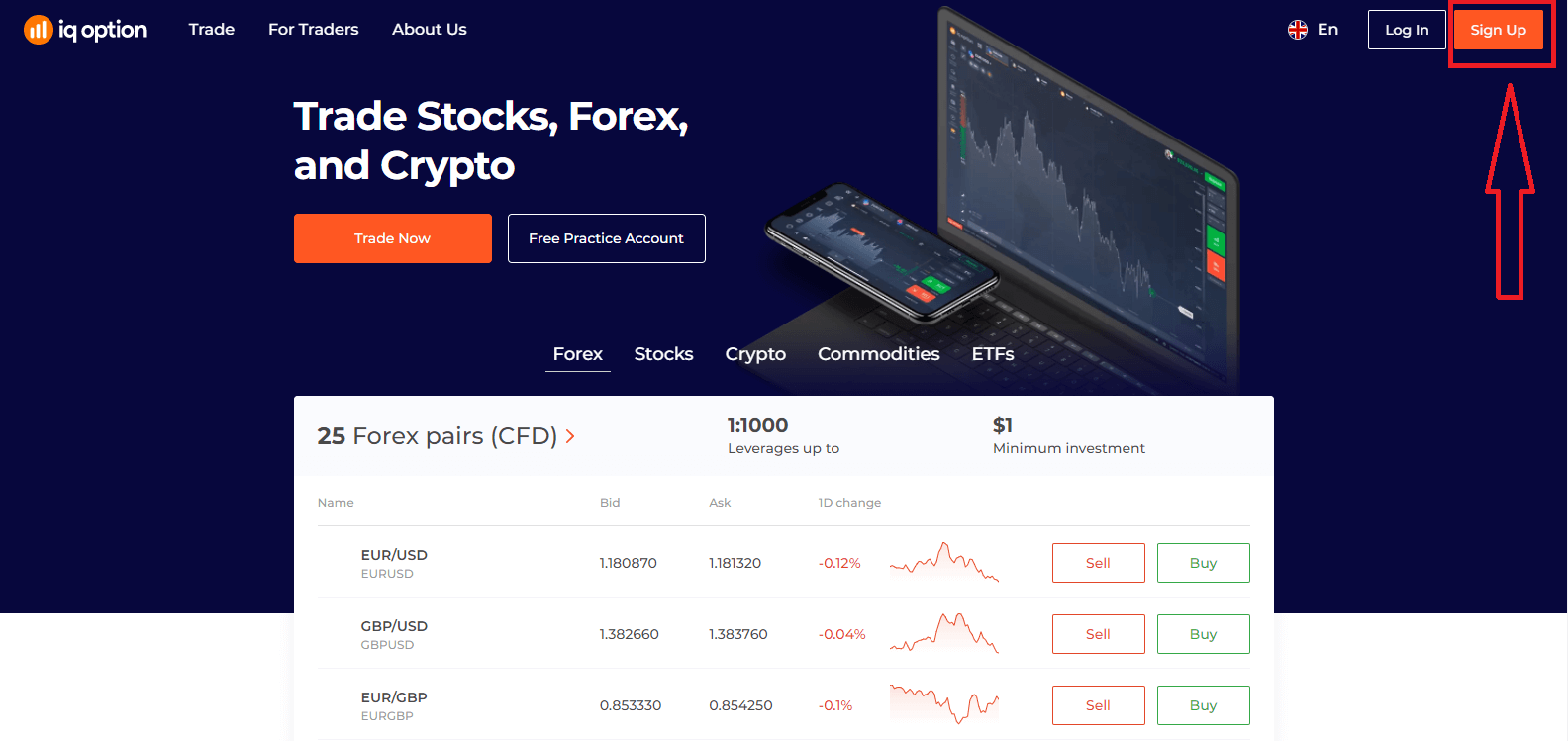
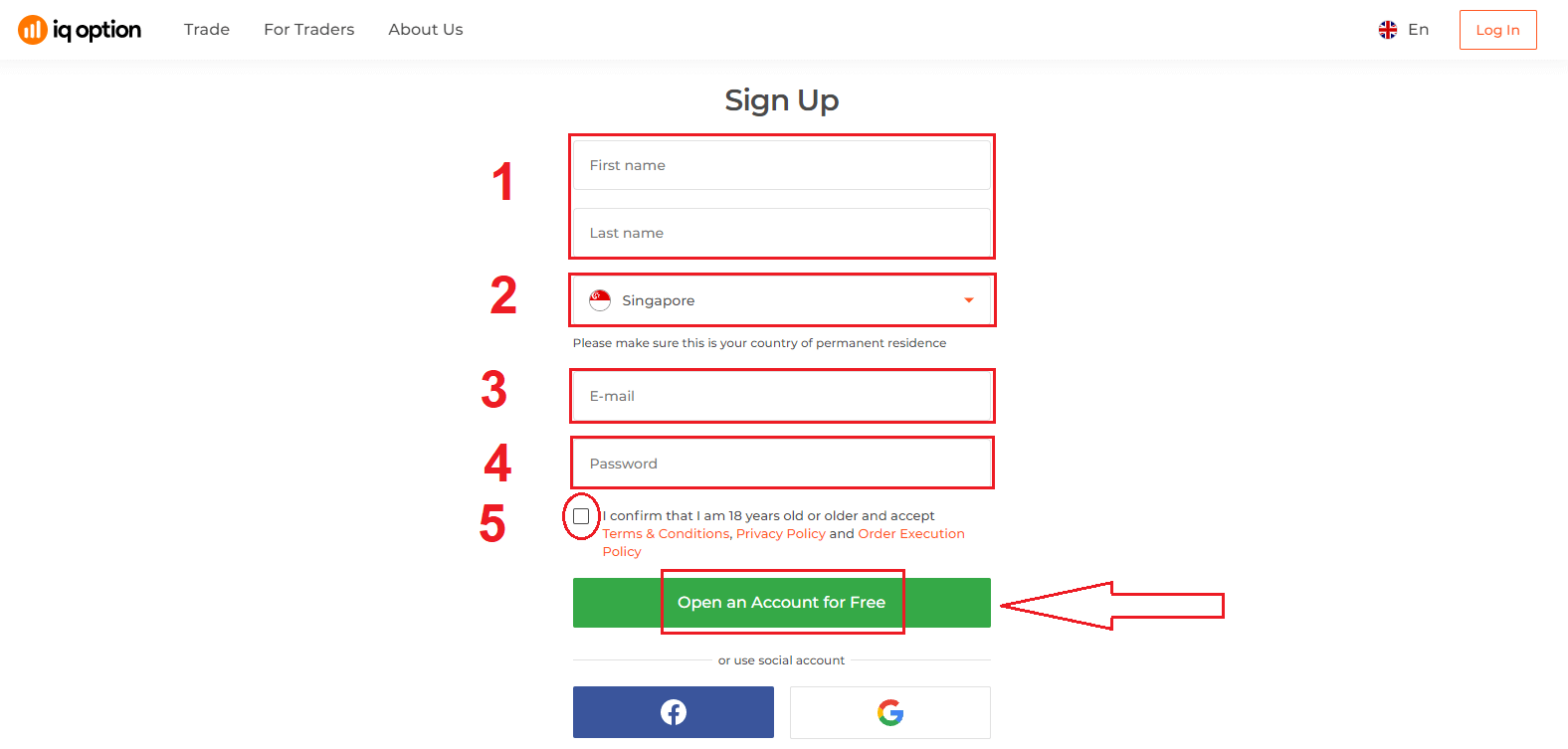
2. To sign-up you need to fill in all the necessary information and click "Open an Account for Free"
- Enter your First name and Last name
- Choose your country of permanent residence
- Enter a valid email address.
- Create a strong password.
- Read "Terms Conditions" and check it
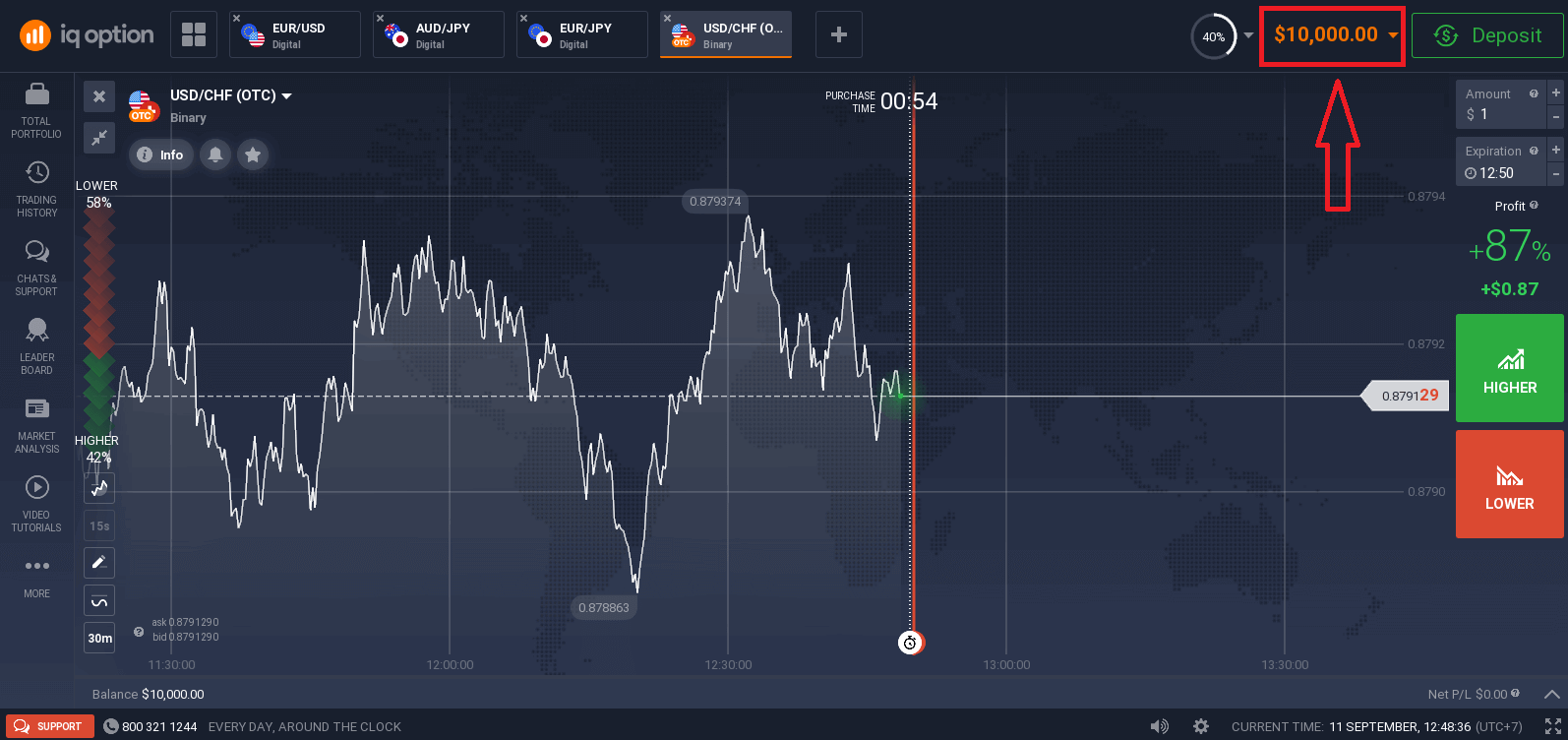
Congratulation! You have registered successfully. Now if you want to use Demo Account, click "Start Trading on practice account".
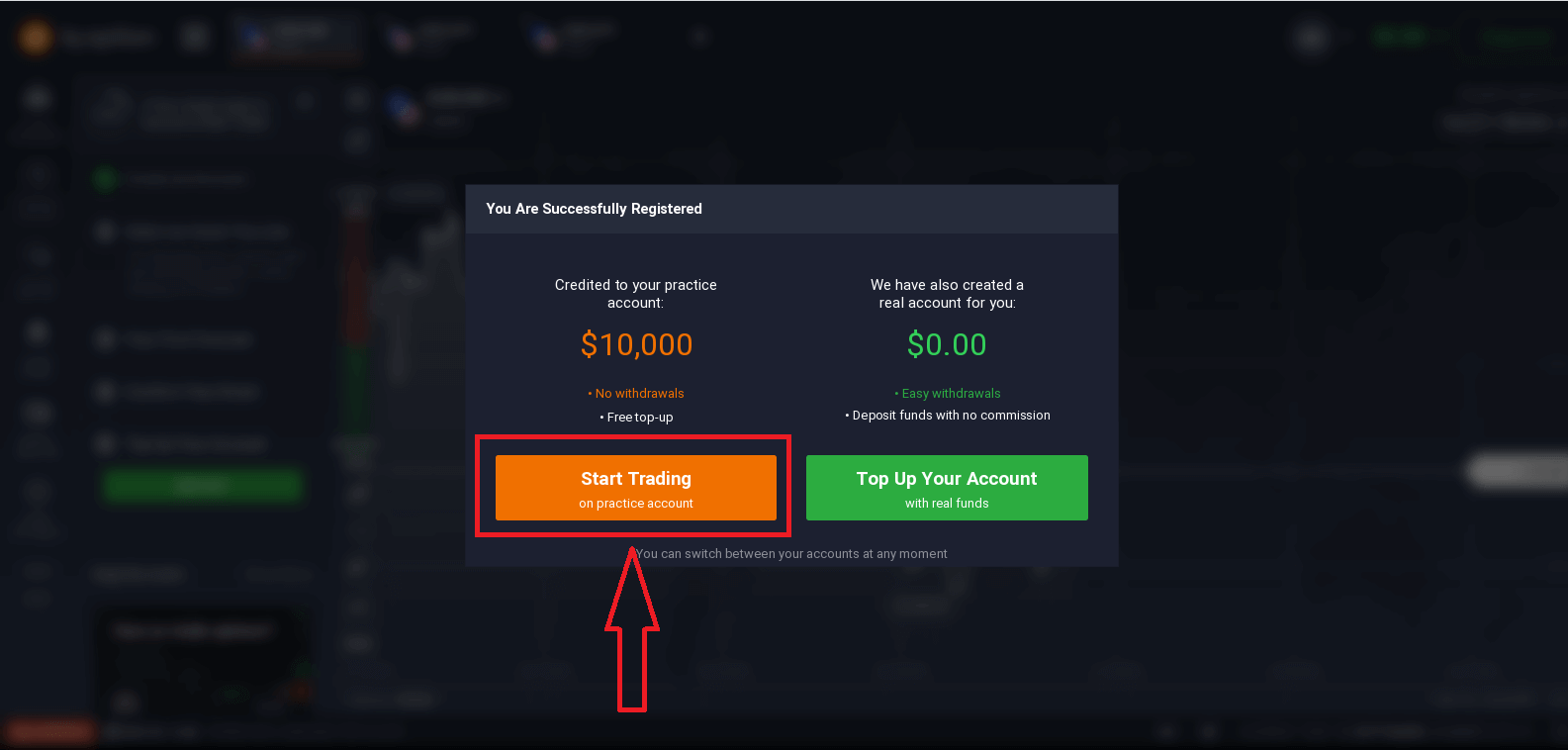
Now you are able to start trading. You have $10,000 in Demo Account. A demo account is a tool for you to get familiar with the platform, practice your trading skills on different assets and try out new mechanics on a real-time chart without risks.
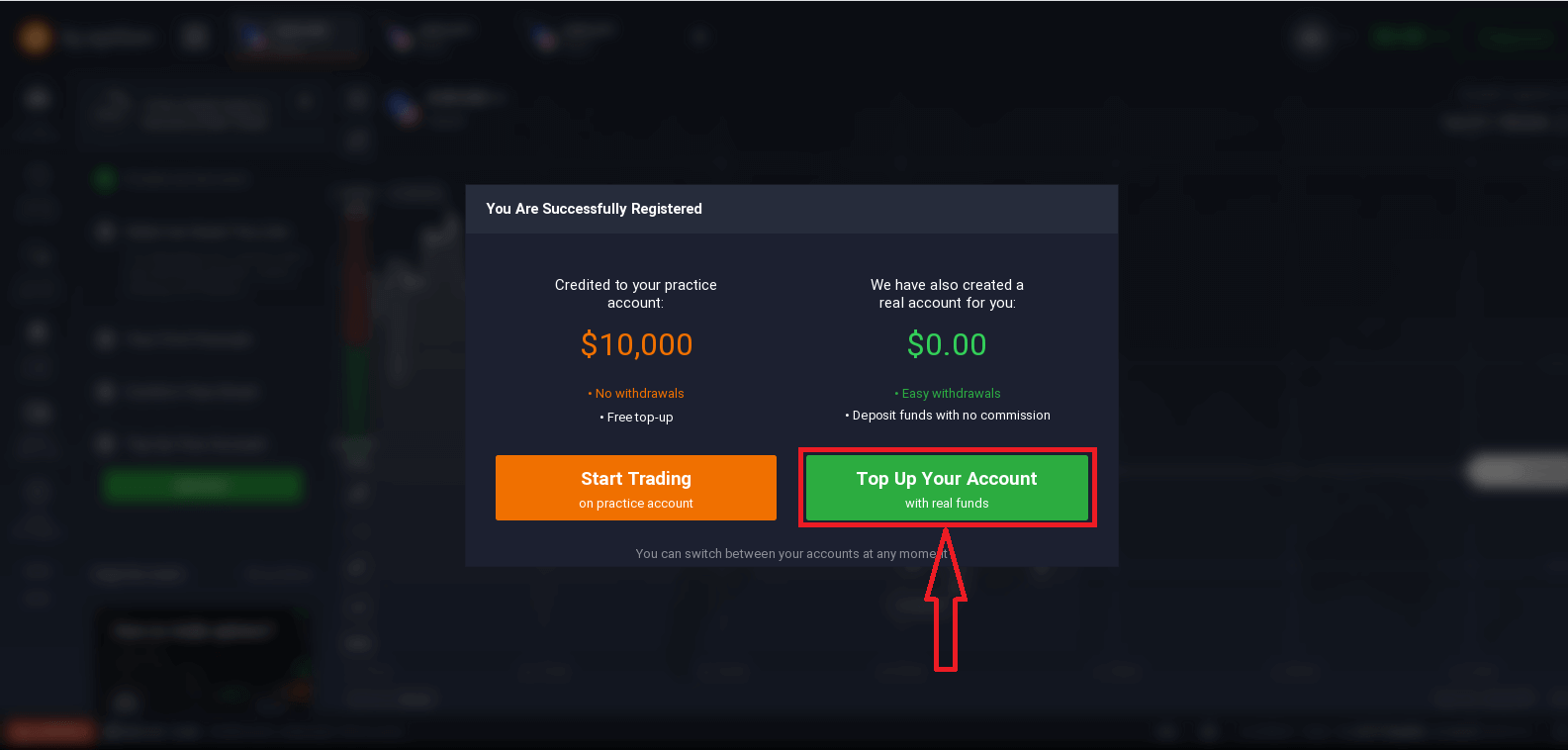
You can also trade on a real account after depositing by clicking "Top Up Your Account with real funds".
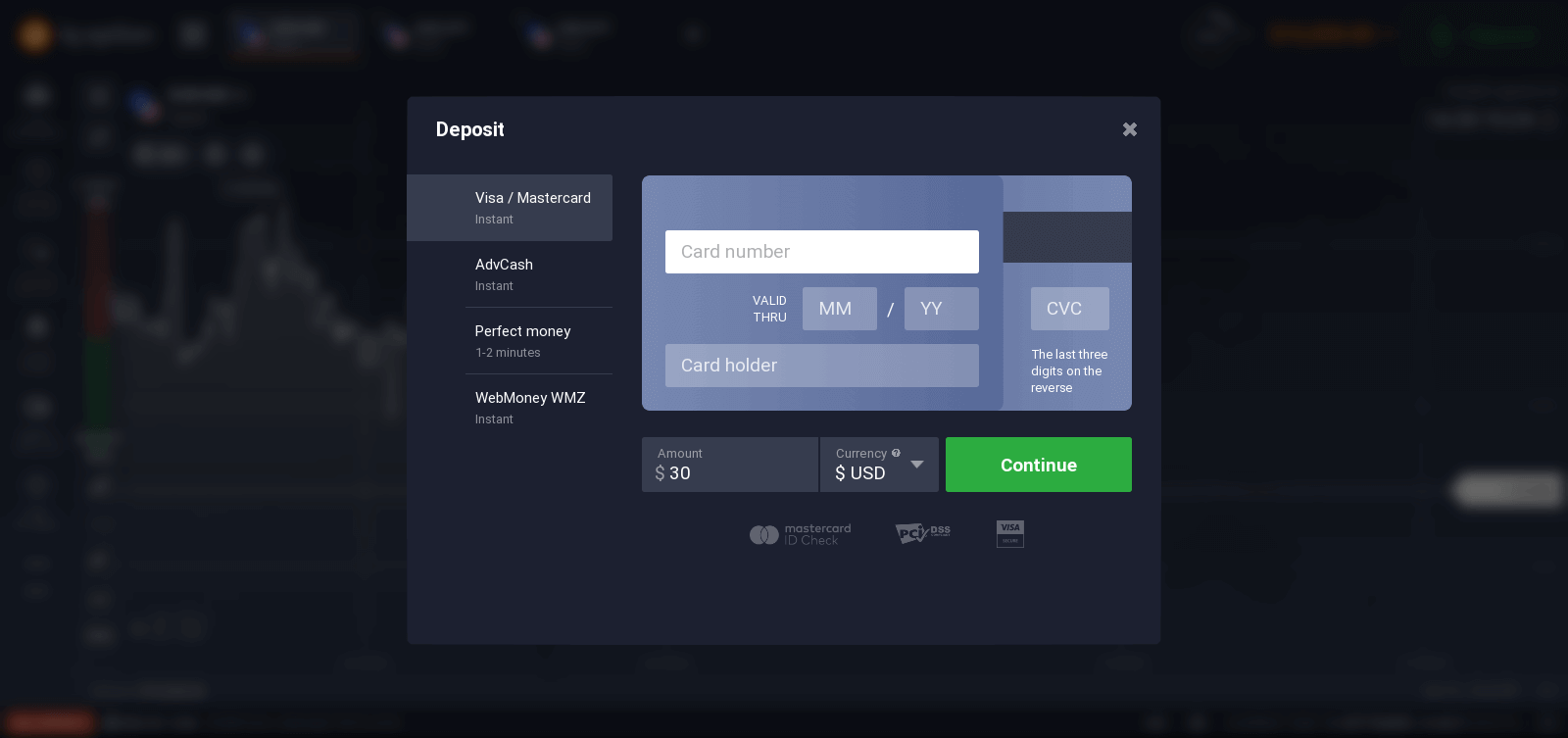
To start Live trading you have to make an investment in your account (The minimum deposit is 10 USD/GBP/EUR).
Refer to this article to know more about Deposit: How to make a Deposit in IQ Option
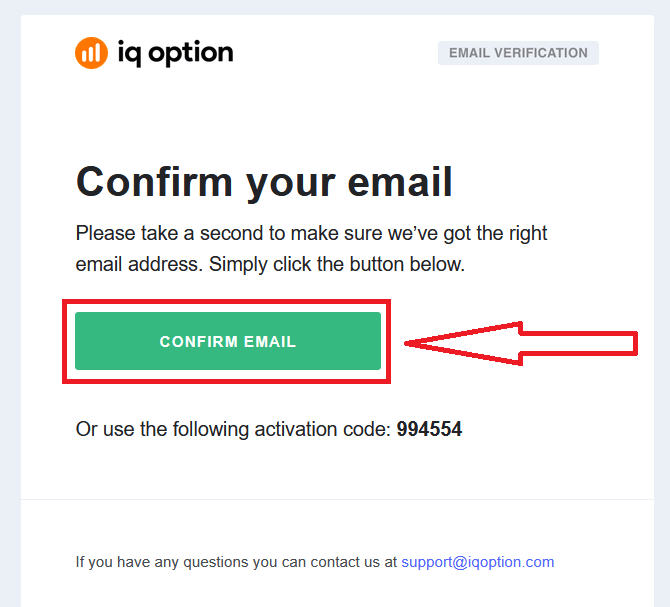
Finally, you access your email, IQ Option will send you a confirmation mail. Click the link in that mail to activate your account. So, you will finish registering and activating your account.
How to Register with a Facebook Account
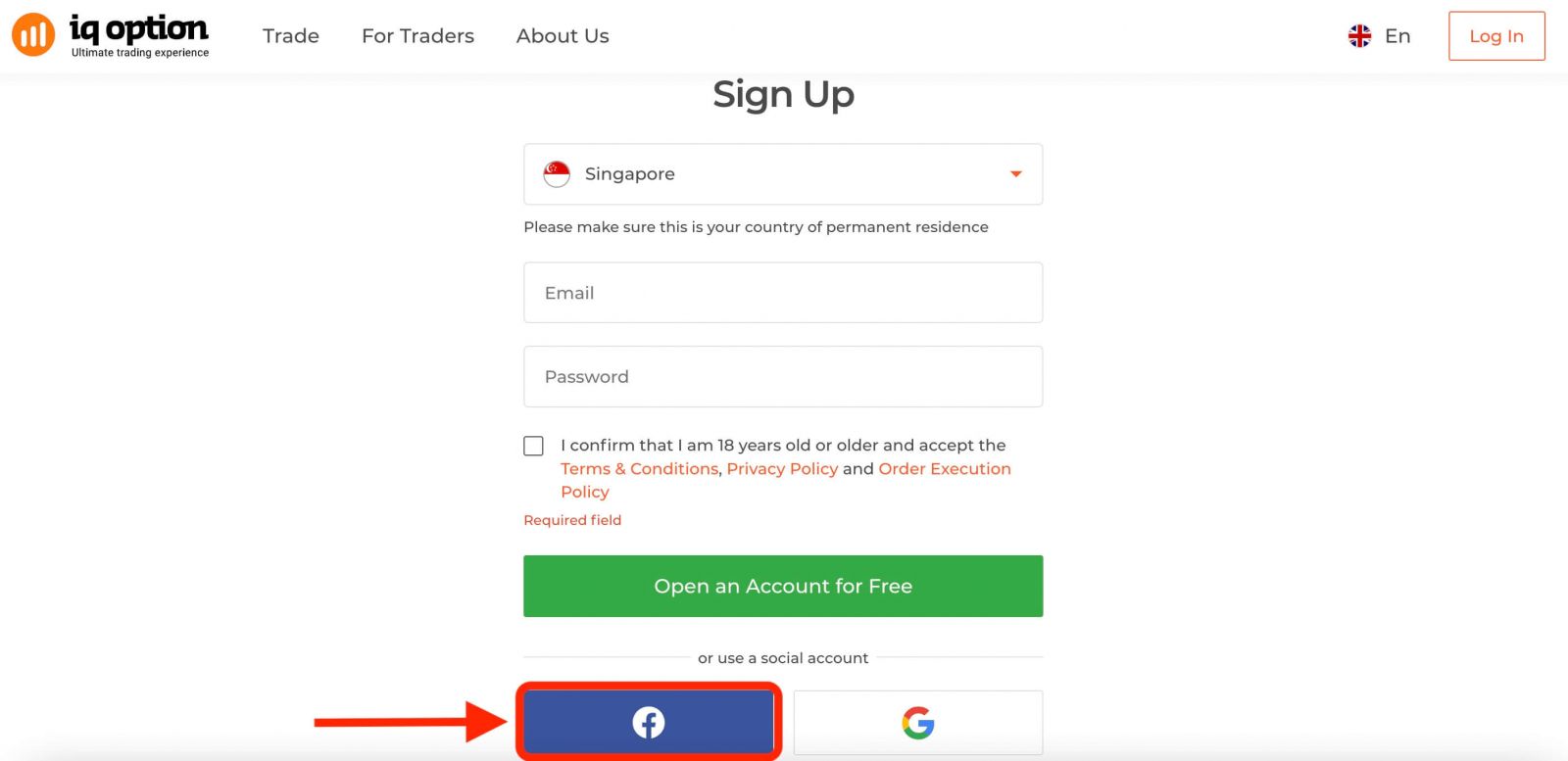
Also, you have an option to open your account through the web by Facebook account and you can do that in just a few simple steps:1. Click on the Facebook button.
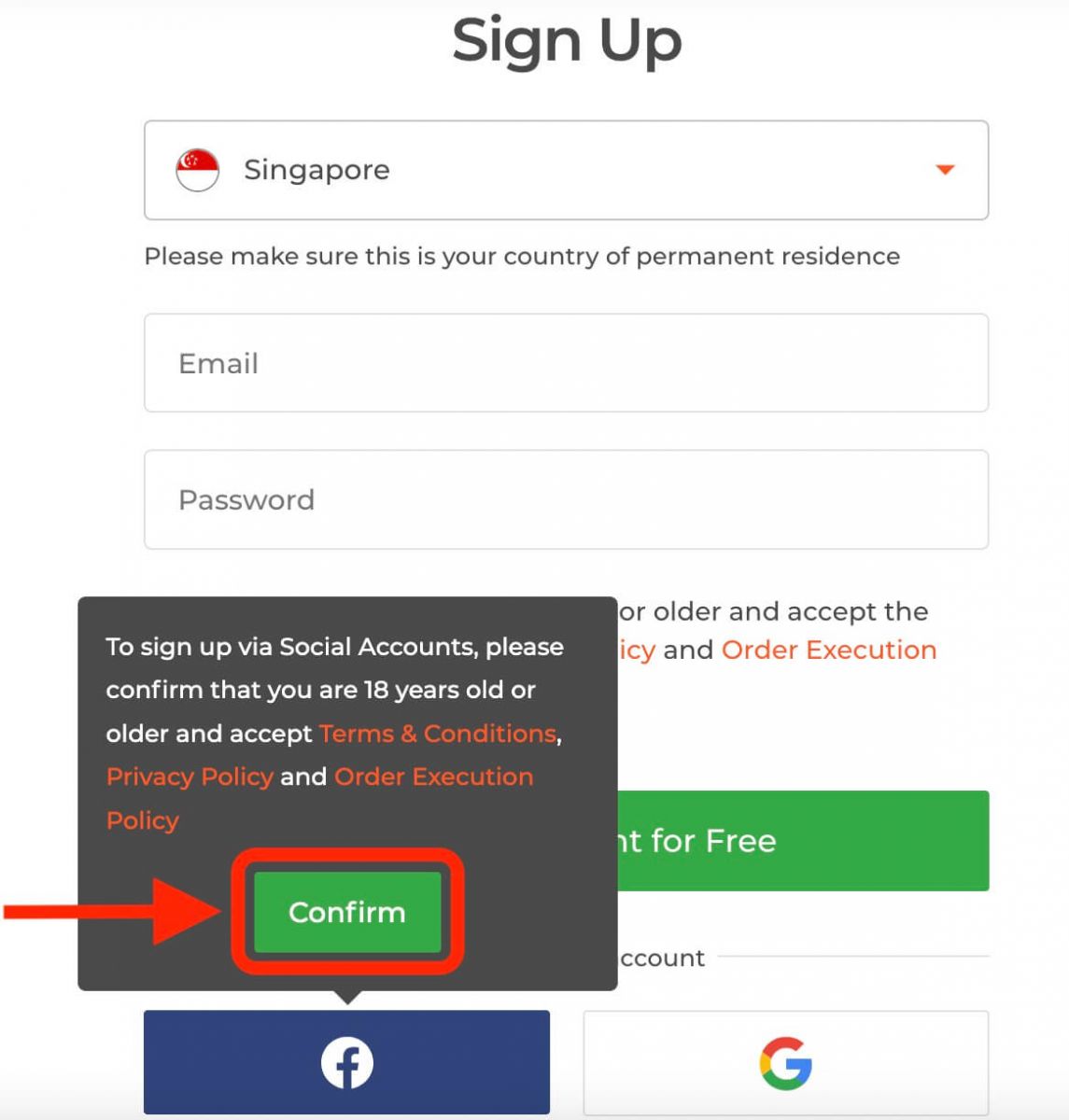
Then It will ask you that you are 18 years old or older and accept the Terms Conditions, Privacy Policy, and Order Execution Policy, click "Confirm".
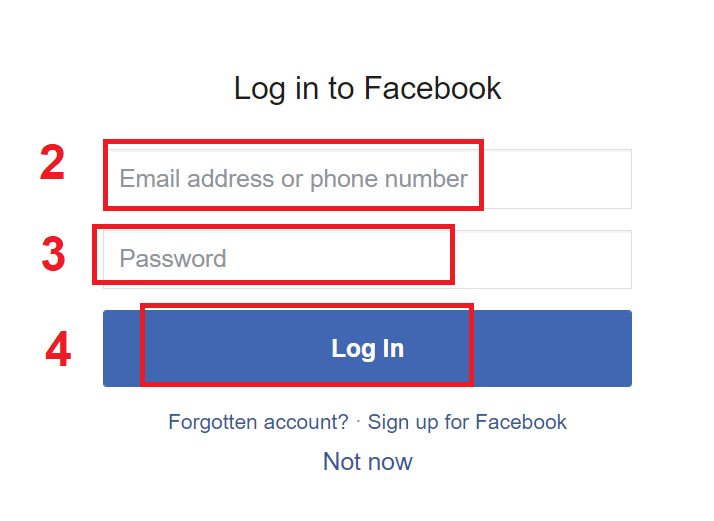
2. Facebook login window will be opened, where you will need to enter your email address that you used to register in Facebook
3. Enter the password from your Facebook account
4. Click on “Log In”
Once you’ve clicked on the “Log in” button, IQ Option is requesting access to: Your name and profile picture and email address. Click Continue...
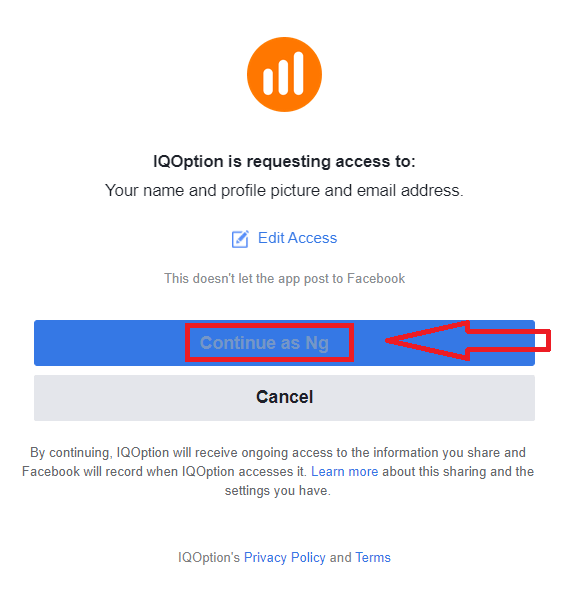
After that You will be automatically redirected to the IQ Option platform.
How to Register with a Google Account
1. To sign up with a Google account, click on the corresponding button in the registration form.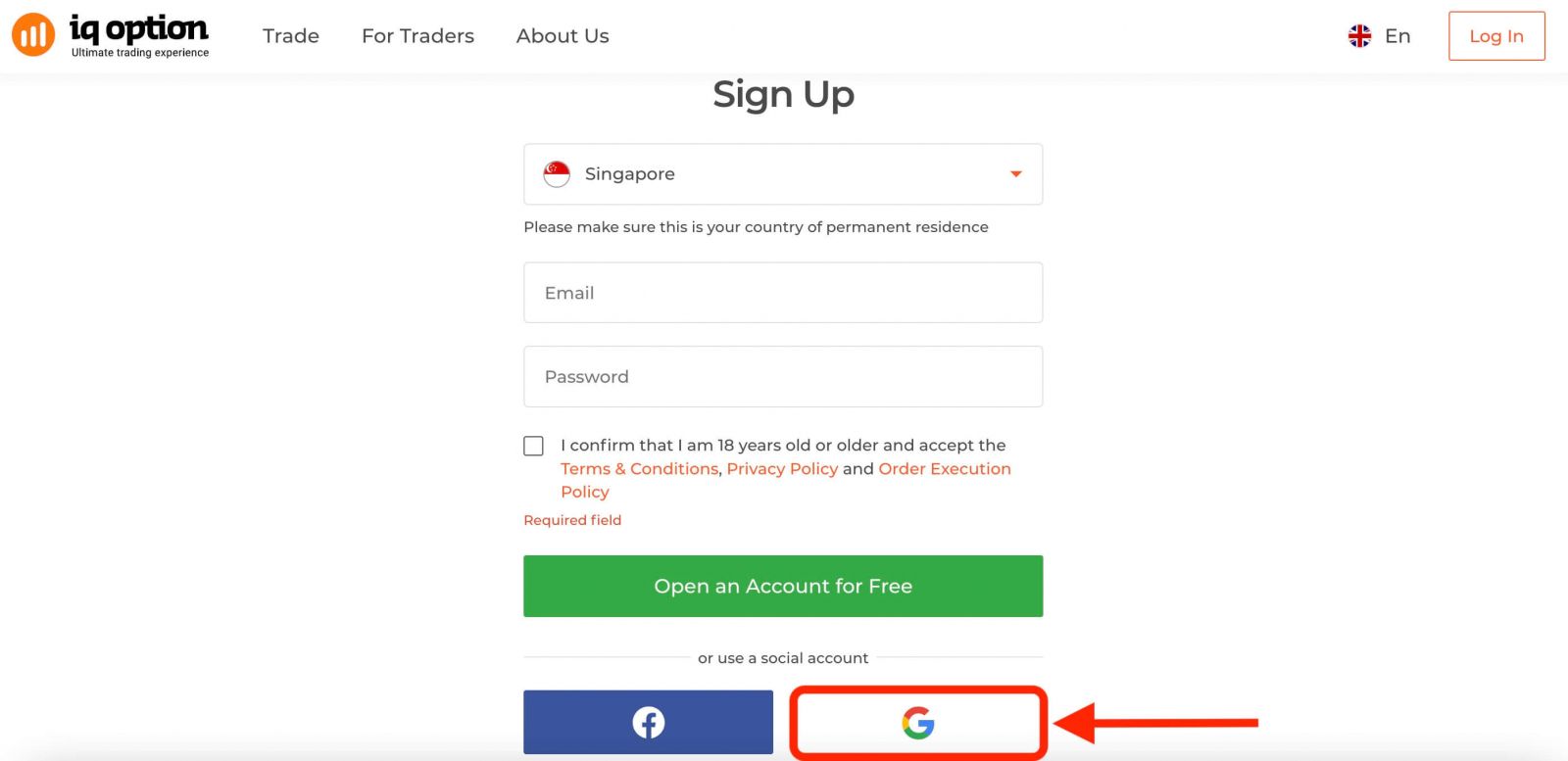
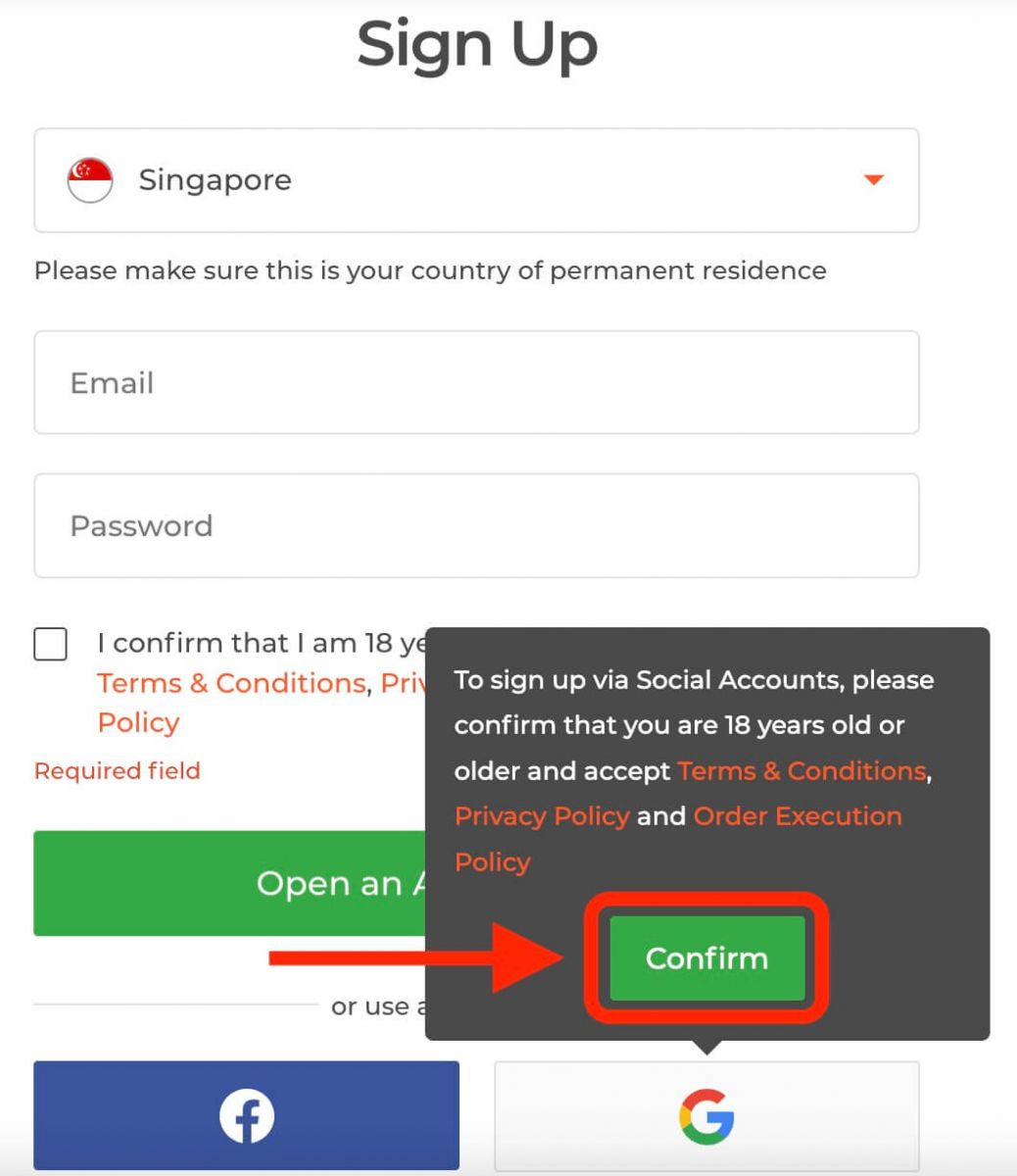
Then It will ask you that you are 18 years old or older and accept Terms Conditions, Privacy Policy and Order Execution Policy, click "Confirm".
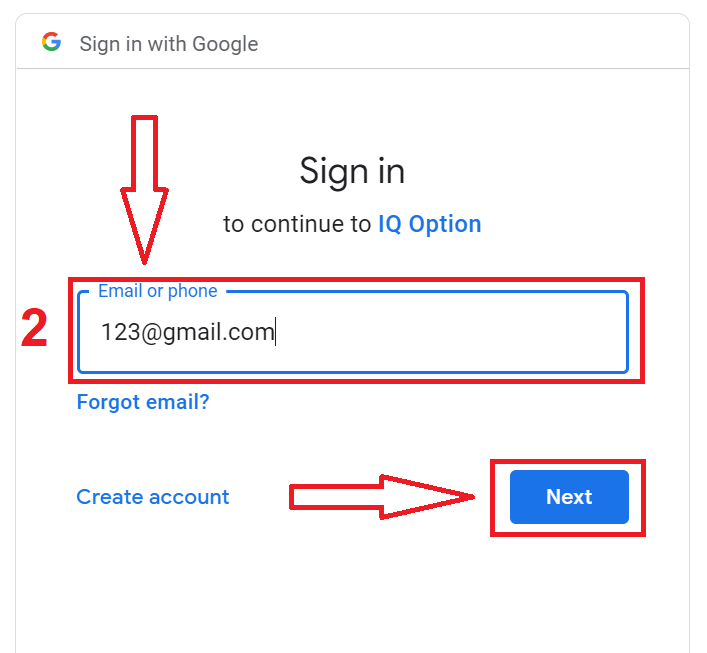
2. In the newly opened window enter your phone number or email and click "Next".
3. Then enter the password for your Google account and click “Next”.
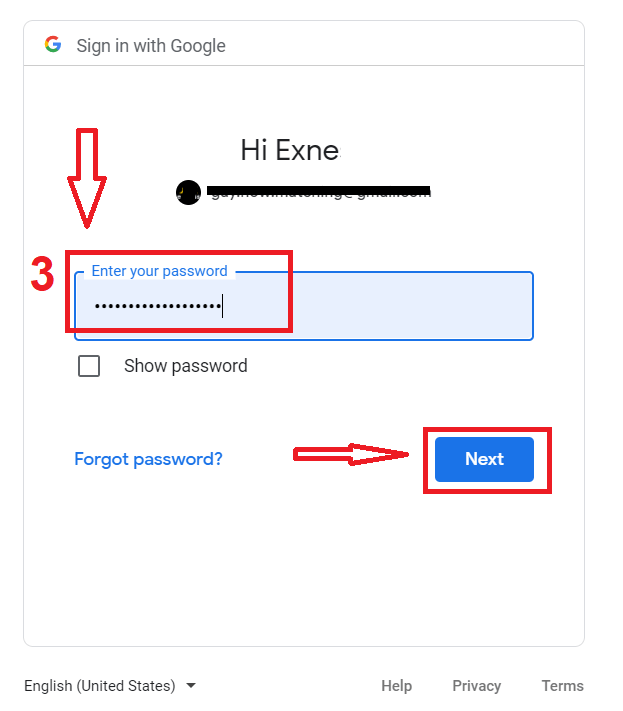
After that, follow the instructions sent from the service to your email address.
Register on IQ Option iOS App
If you have an iOS mobile device you will need to download the official IQ Option mobile app from App Store or here. Simply search for “IQ Option - FX Broker” app and download it on your iPhone or iPad.The mobile version of the trading platform is exactly the same as web version of it. Consequently, there won’t be any problems with trading and transferring funds. Moreover, IQ Option trading app for iOS is considered to be the best app for online trading. Thus, it has a high rating in the store.
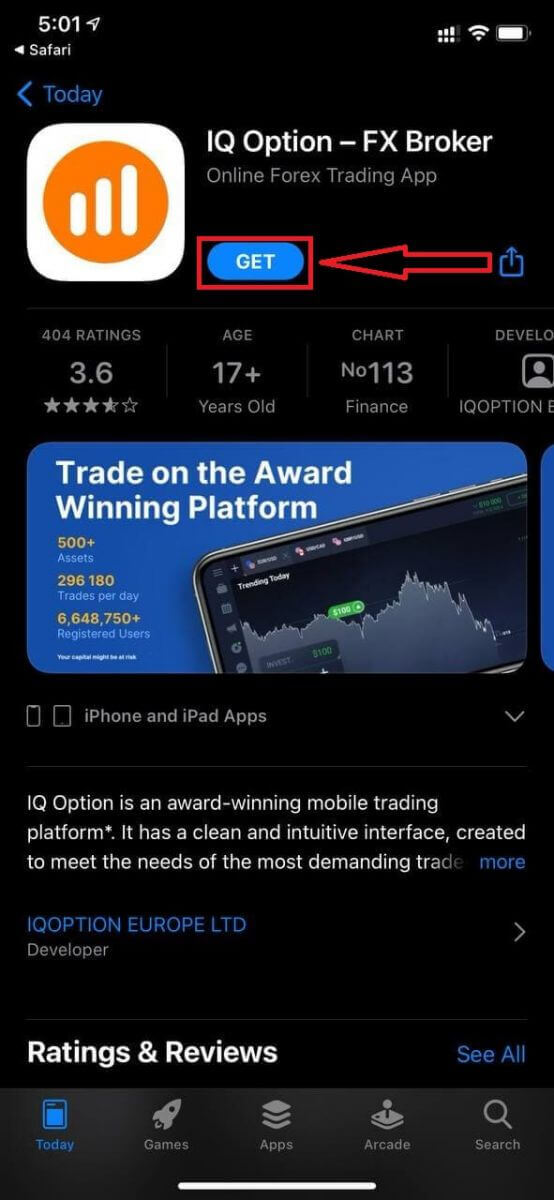
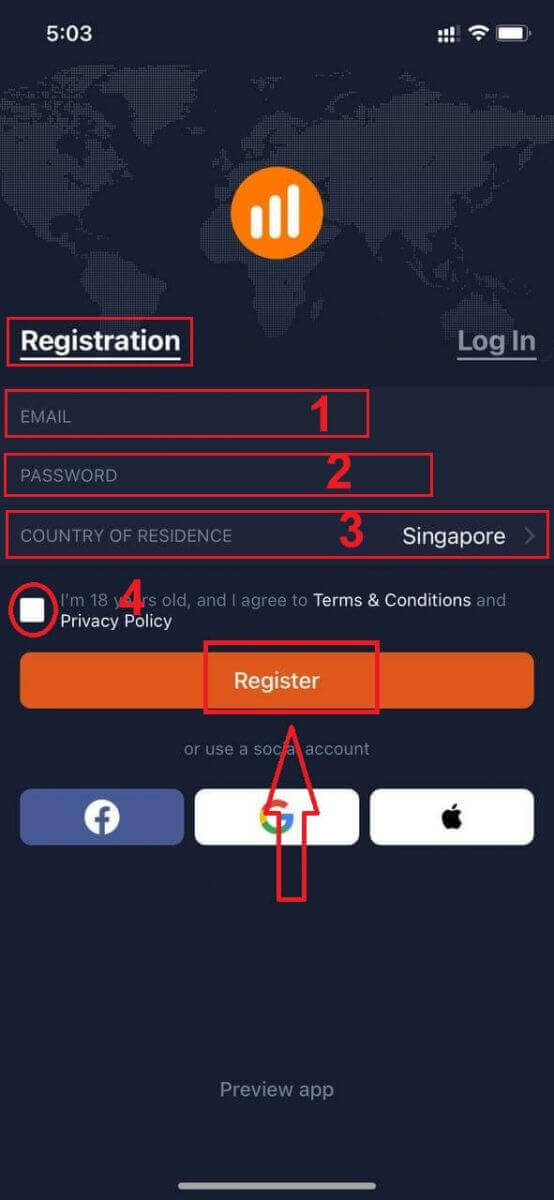
Registration for the iOS mobile platform is also available for you.
- Enter a valid email address.
- Create a strong password.
- Select your country of permanent residence
- Check "Terms Conditions" and click "Register"
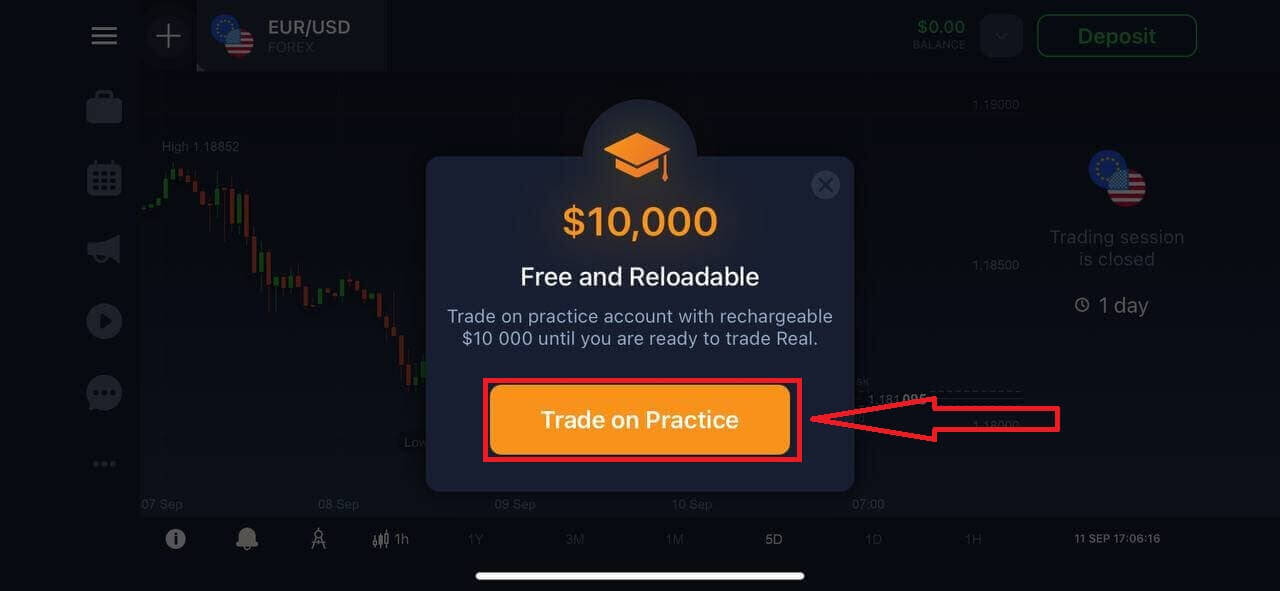
Congratulation! You have registered successfully, click "Trade on Pratice" for Trading with Demo Account.
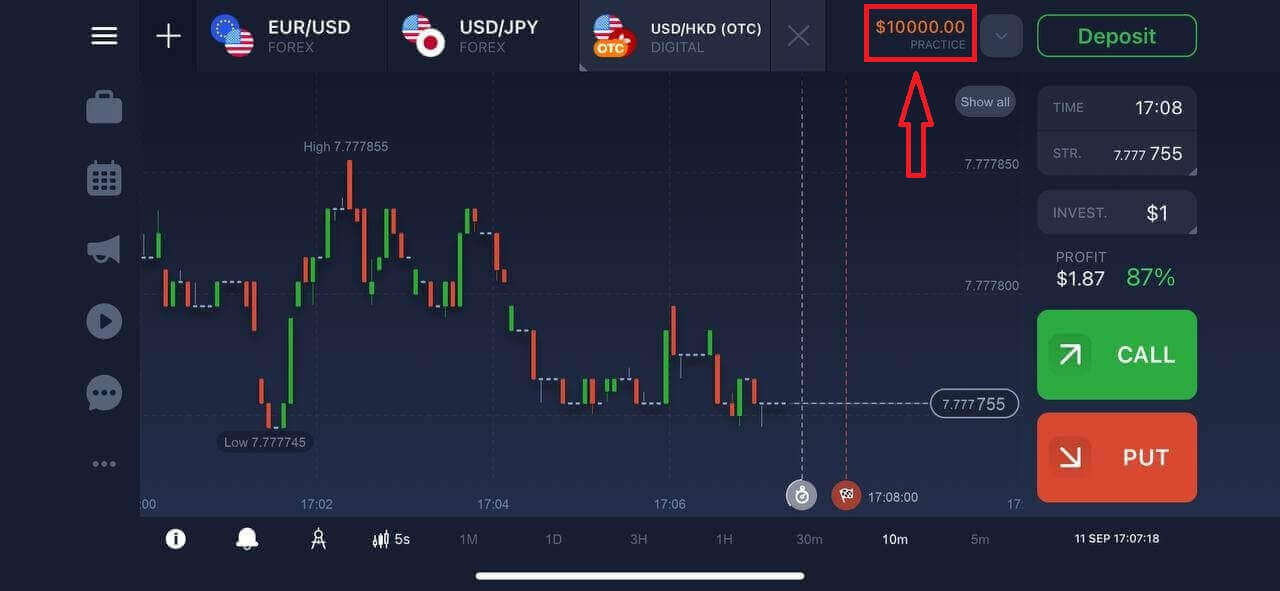
You have $10,000 in Demo Account.
Register on IQ Option Android App
If you have an Android mobile device you will need to download the official IQ Option mobile app from Google Play or here. Simply search for “IQ Option - Online Investing Platform” app and download it on your device.The mobile version of the trading platform is exactly the same as web version of it. Consequently, there won’t be any problems with trading and transferring funds. Moreover, IQ Option trading app for Android is considered to be the best app for online trading. Thus, it has a high rating in the store.
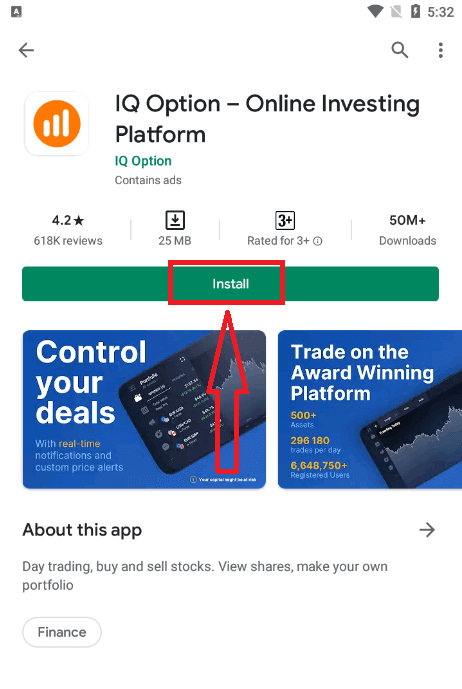
Registration for the Android mobile platform is also available for you.
- Enter a valid email address.
- Create a strong password.
- Select your country of permanent residence
- Check "Terms Conditions" and click "Registration"
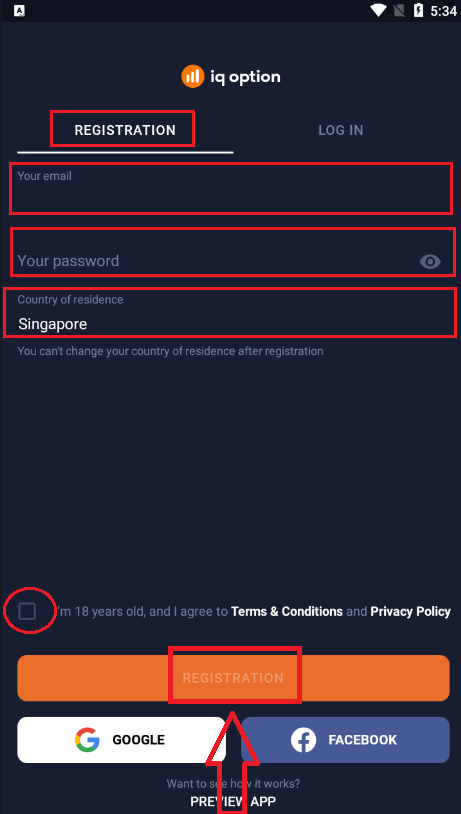
Congratulation! You have registered successfully, click "Trade on Practice" for Trading with Demo Account.
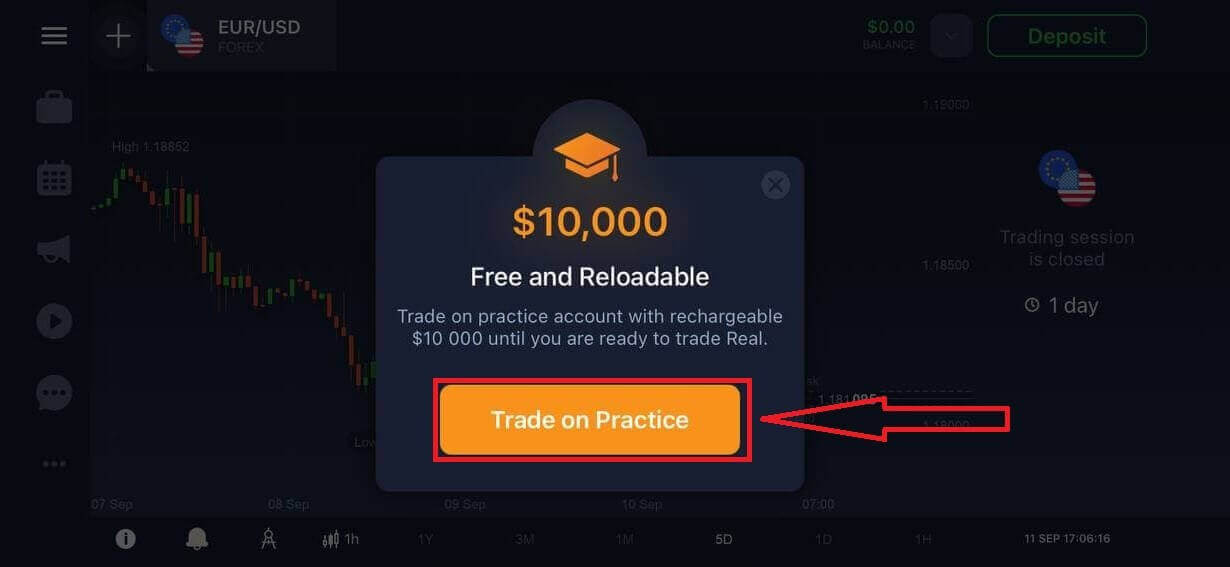
You have $10,000 in Demo Account.
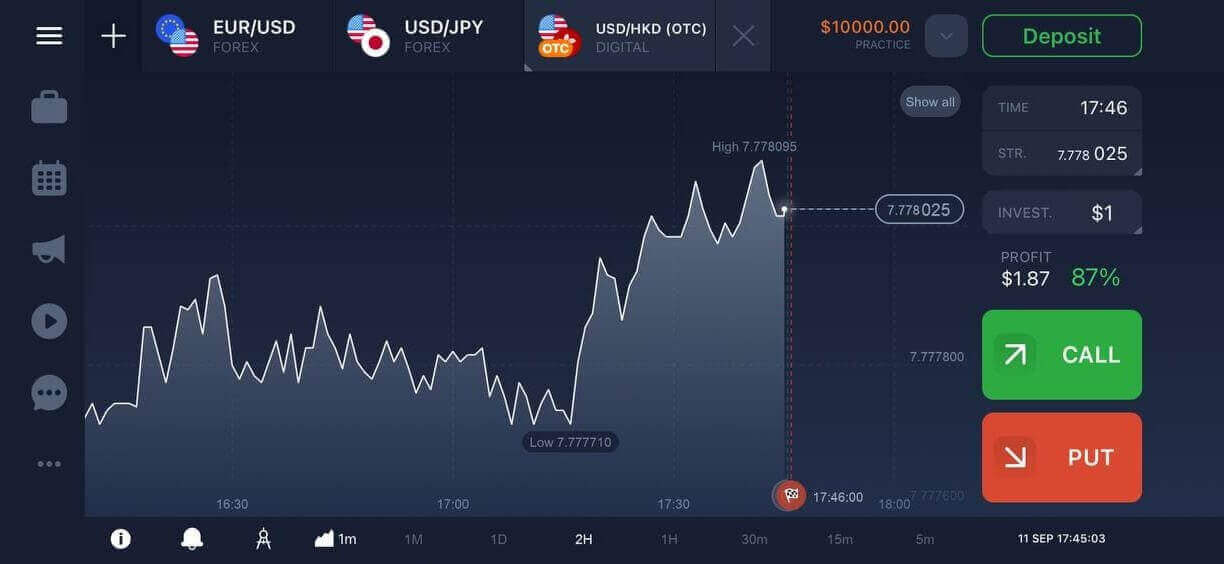
Register IQ Option account on Mobile Web Version
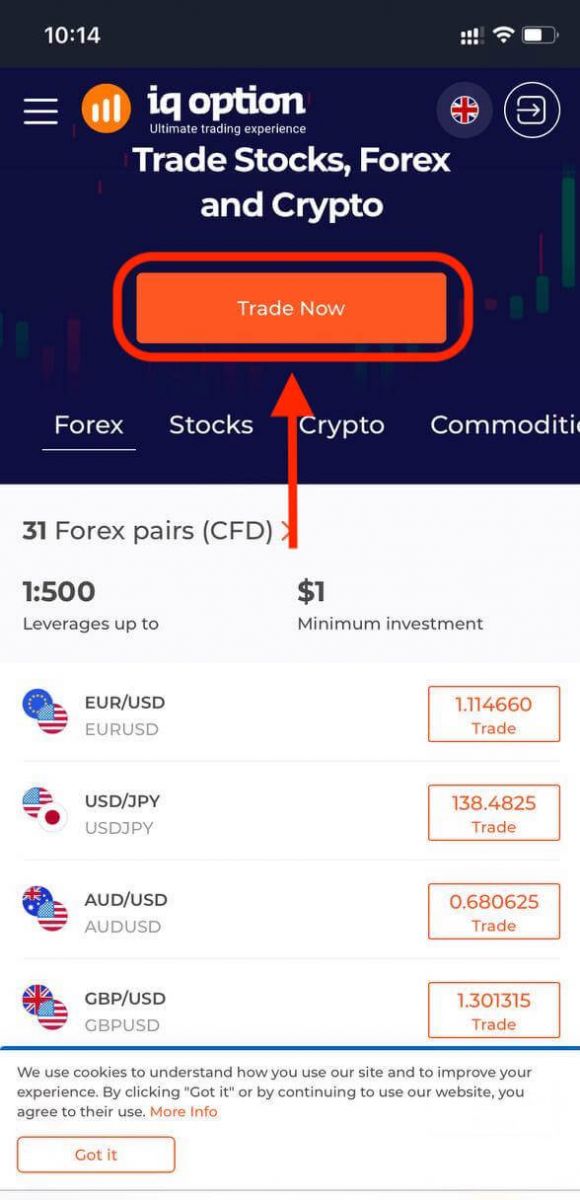
If you want to trade on the mobile web version of IQ Option trading platform, you can easily do it. Initially, open up your browser on your mobile device and visit the website of the broker.Tap the "Trade Now" button in the center.
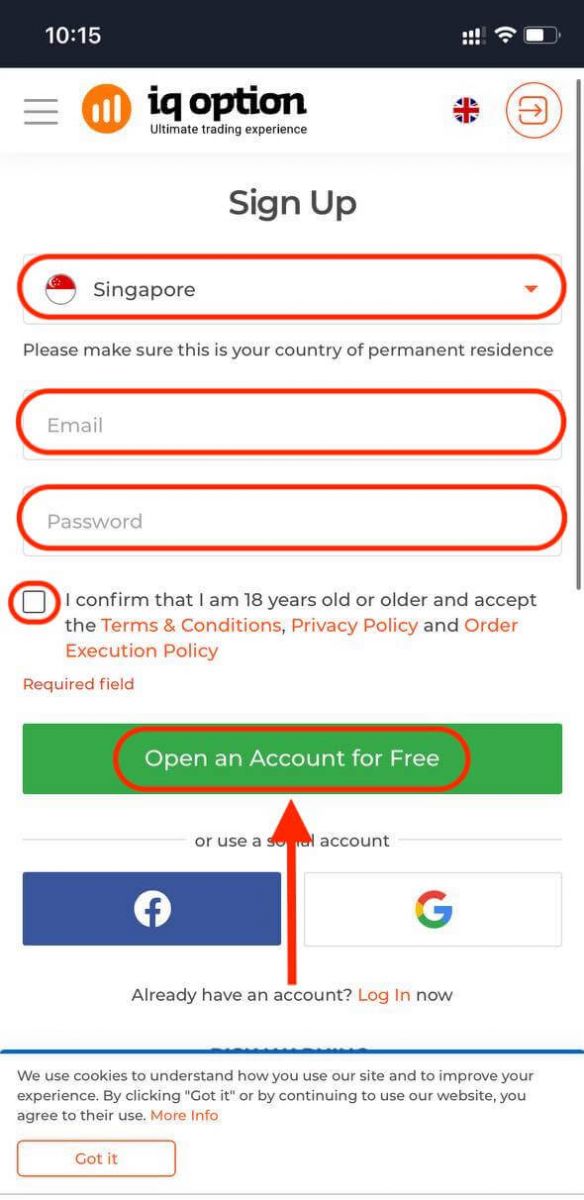
At this step we still enter the data: email, password, check "Terms Conditions" and tap "Open an Account for Free".
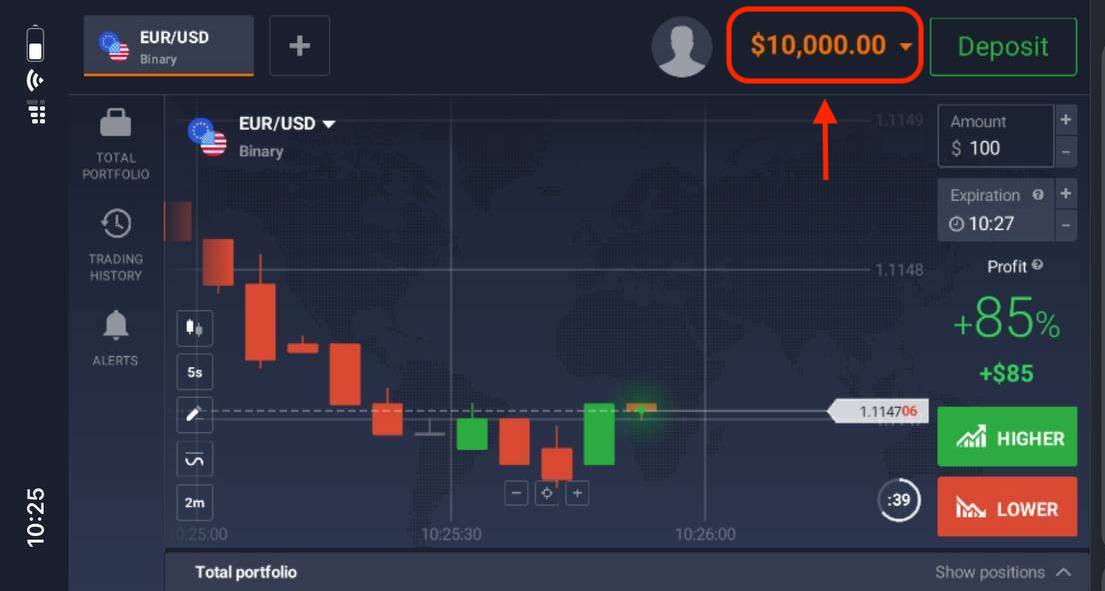
Here you are! Now you will be able to trade from the mobile web version of the platform. The mobile web version of the trading platform is exactly the same as a regular web version of it. Consequently, there won’t be any problems with trading and transferring funds.
You have $10,000 in Demo Account.
Frequently Asked Questions (FAQ)
How much money can I make on the practice account?
You cant take any profit from transactions you complete on the practice account. You get virtual funds and make virtual transactions. It is intended for training purposes only. To trade using real money, you need to deposit funds to a real account.
How do I switch between the practice account and the real account?
To switch between accounts, click your balance in the upper-right corner. Make sure you are in the traderoom. The panel that opens shows all your accounts: your real account and your practice account. Click an account to make it active so you can use it for trading.
How do I top up the practice account?
You can always top up your practice account for free if the balance falls below $10,000. First, you must select this account. Then click the green Deposit button with two arrows in the upper-right corner. A window opens where you can choose which account to top up: the practice account or the real one.
Do you have apps for PC, iOS, or Android?
Yes, we do! And on computers, the platform responds faster in the application for Windows and Mac OS. Why is it faster to trade in the application? The website is slower to update movements on the chart because the browser doesnt use available WebGL capabilities for maximizing the computers video card resources. The application doesnt have this limitation, so it updates the chart almost instantaneously. We also have apps for iOS and Android. You can find and download the applications on our download page.If a version of the app is not available for your device, you can still trade using the IQ Option website.
How can I secure my account?
To secure your account, use 2-step authentication. Each time you log in to the platform, the system will require you to enter a special code sent to your phone number. You can activate the option in the Settings. FAQs
You normally need a government-issued photo ID (passport, national ID, or driver’s licence) plus a recent proof of address such as a utility bill or bank statement. Upload clear, color photos that show full names and dates. IQ Option may also ask for a selfie or proof of payment source if you fund with a card or e‑wallet.
Create credentials using your email or phone, confirm the verification code, choose demo or live, then complete the profile form. After initial sign-up upload KYC documents, wait for identity approval, and link a payment method to fund the account. Enable two‑factor authentication and review platform limits before placing live trades.
The typical minimum deposit is low (often around $10 or equivalent) but it can vary by payment method and jurisdiction. Check the deposit screen in your account for the exact minimum that applies to your region and chosen payment option.
Common reasons include blurry or cropped document photos, mismatched names or addresses, expired documents, or unsupported file types. Regional restrictions and discrepancies between payment source and account holder can also cause rejections. To fix it, resubmit high-quality scans, ensure details match exactly, and provide any additional proof the support team requests.
Yes, demo access is usually available right after sign-up so you can practice with virtual funds without completing full verification or making a deposit. Live trading and withdrawals require completed KYC and a funded live account.