IQ Option Deposit via WebMoney: Minimums, Steps & Timing
Writen By

Online Trading Platform Researcher and Guide Writer
Researches broker platforms and trading account Systems.
If you want to fund an IQ Option trading account using WebMoney, the key concerns are usually minimums, processing time, currency handling and verification checks that can hold a transfer. WebMoney operates with different purse types and verification tiers that may trigger conversion fees or require additional confirmation before funds become available for trading. Knowing these variables ahead of time reduces failed attempts and waiting time.
Below you’ll find focused, practical guidance on the WebMoney funding flow: which WebMoney purses are commonly accepted, the step‑by‑step deposit flow inside your IQ Option wallet, expected processing times and typical minimums, plus troubleshooting tips for common failures. The guide also highlights verification checklist items—matching account names, a verified WebMoney purse and frequently seen error codes—so you can prepare documents or fixes before contacting support and get your funds cleared faster.
Below you’ll find focused, practical guidance on the WebMoney funding flow: which WebMoney purses are commonly accepted, the step‑by‑step deposit flow inside your IQ Option wallet, expected processing times and typical minimums, plus troubleshooting tips for common failures. The guide also highlights verification checklist items—matching account names, a verified WebMoney purse and frequently seen error codes—so you can prepare documents or fixes before contacting support and get your funds cleared faster.
Setting up
This will be the link to register your WebMoney account: https://www.wmtransfer.com/. Follow the link and click Sign up to set up your new e-wallet. If needed, change the language at the bottom of the page.You will need to specify and confirm your phone number and create a password. As soon as it is done, you can access your wallet and create a purse in the desired currency.
You can choose among several currency options, but if you are planning on depositing with it to IQ Option, you can choose between WMZ, WME and WMR. WMZ is a wallet for USD, WME — for EUR and WMR is for RUB.
You may notice your WMID number at the top of the page, which is the identifier of your account. However, it is not the address to which the money can be sent.
Each purse has its own address:
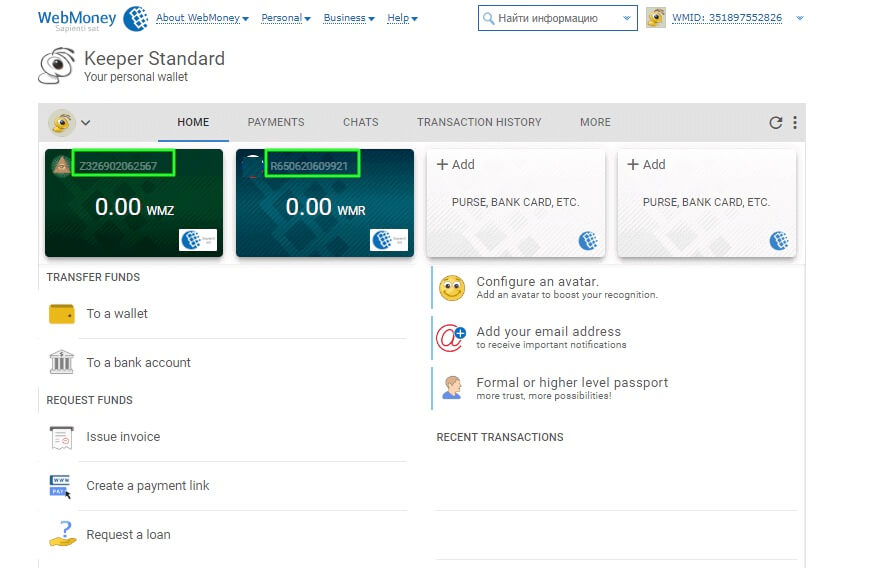
The address consists of a letter, which is an identification of the currency, and 12 figures. You need to fill it in when transferring funds to or from your WebMoney account. Once you have the purse set up, you are ready to send and receive money.
Deposit
In order to make a deposit to your e-wallet, you need to choose the corresponding purse with the desired currency and then decide on the deposit method. There are several options to choose from, but the available methods may differ according to your locale. Once the funds are in, you can use them for a deposit on IQ Option.To do that, proceed to the deposit page and choose WebMoney from the list. Choose the currency that matches the one of your WebMoney purse.
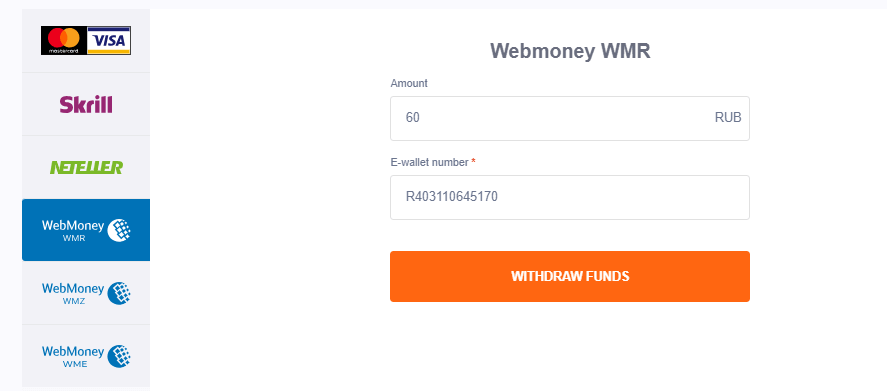
You will be redirected to the WebMoney login page — sign in and complete the payment.Payment methods available to the reader may be different. For the most up-to-date list of available payment methods, please refer to the IQ Option trading platform
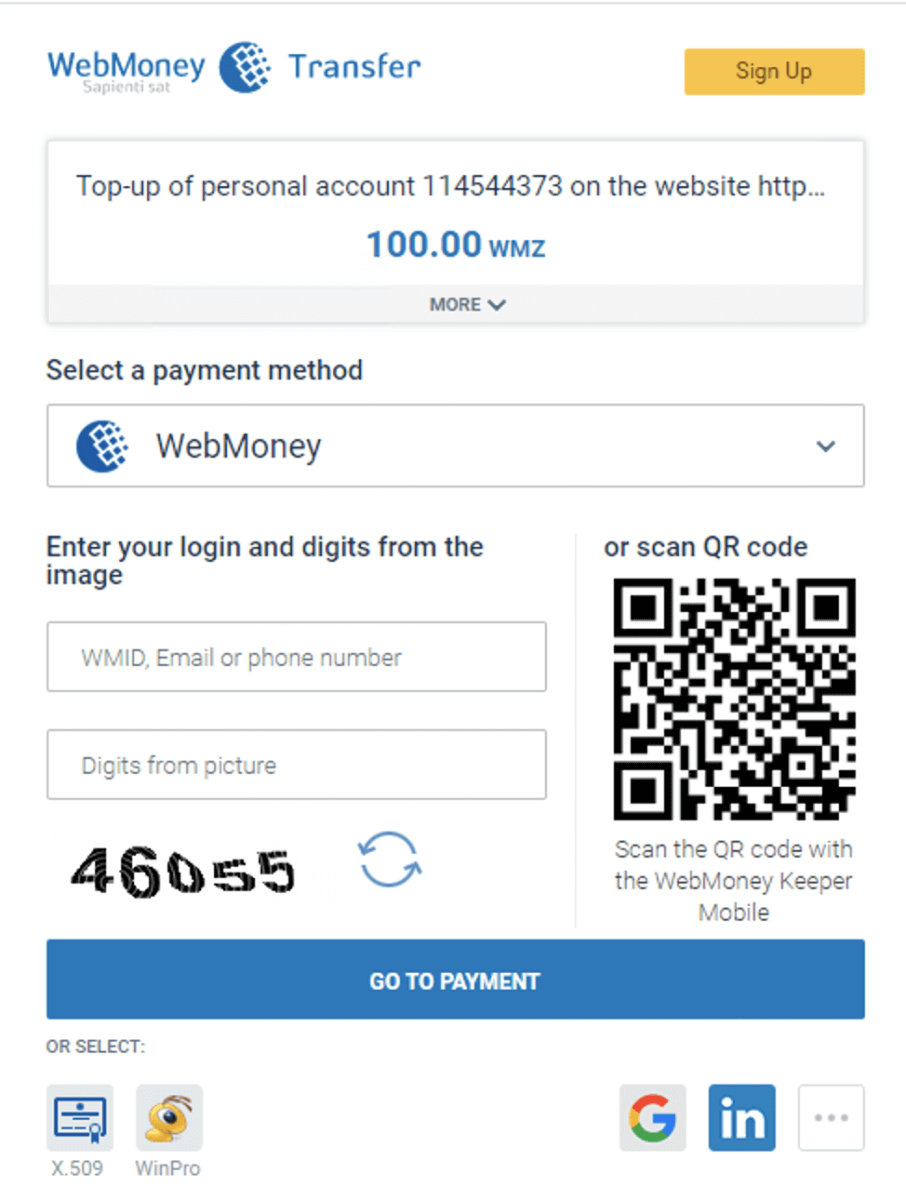
Once you do that, the funds will be instantly credited to your IQ Option balance.

FAQs
IQ Option’s minimum deposit with WebMoney is typically the platform’s base minimum (commonly around 10 USD or the equivalent in your local currency), but the exact amount can vary by region and purse currency. Check the deposit screen after login to see the confirmed minimum for your account.
Log into your IQ Option account, open the Deposit section, choose WebMoney as the payment method, select the WebMoney purse/currency, enter the amount and follow the on‑screen confirmation. Confirm the transaction in your WebMoney wallet app, keep screenshots of the transfer ID, and wait for the platform to credit your account—processing is often instant but can take longer if verification is required.
Common causes include insufficient wallet balance, using an unsupported purse type or currency, an unverified WebMoney account, name mismatches, or temporary payment gateway downtime. First check your WebMoney transaction status and account verification level, confirm the purse currency matches the option selected, retry a small test amount, and contact IQ Option support with your transaction ID and screenshots if the problem persists.
Yes. IQ Option may require a supported purse currency or automatic conversion at the gateway rate; some regions restrict certain WebMoney purse types. Account verification (KYC) can also be required before larger deposits or withdrawals. Ensure your WebMoney purse is verified and that names match your IQ Option profile to avoid holds.
Beginners can usually deposit with WebMoney right after registration, but small limits or temporary holds may apply until identity documents are verified. Prepare a verified WebMoney purse, confirm the minimum deposit amount, and complete KYC promptly to lift limits and access full trading functionality.