Download and Install IQ Option Mobile App on Android & iOS
Writen By

Online Trading Platform Researcher and Guide Writer
Researches broker platforms and trading account Systems.
Installing a trading app on a phone often trips up new users because of compatibility gaps, store restrictions, or by attempting to install unofficial packages. Before you tap Install, check your device model, available storage, and minimum OS version; confirm whether your phone allows app side‑loading and that background services like location and notifications are permitted. Understanding these prerequisites reduces failed installs, protects your account, and speeds first‑time access to charts and orders.
Follow the steps below to install the IQ Option app on both Android and iOS, including how to get the app from Google Play or the Apple App Store, how to install an APK when Play Store access is unavailable, and how to set app permissions for optimal performance. The walkthrough also covers signing into demo or live accounts, updating the app, basic installation troubleshooting, and practical safety checks so you can start mobile trading with fewer setup delays.
Follow the steps below to install the IQ Option app on both Android and iOS, including how to get the app from Google Play or the Apple App Store, how to install an APK when Play Store access is unavailable, and how to set app permissions for optimal performance. The walkthrough also covers signing into demo or live accounts, updating the app, basic installation troubleshooting, and practical safety checks so you can start mobile trading with fewer setup delays.
How to Download and Install IQ Option App on iOS Phone
The mobile version of the trading platform is exactly the same as web version of it. Consequently, there won’t be any problems with trading and transferring funds. Moreover, IQ Option trading app for iOS is considered to be the best app for online trading. Thus, it has a high rating in the store.Download the official IQ Option app from App Store or click here. Simply search for “IQ Option - FX Broker” app and download it on your iPhone or iPad.
Get the IQ Option App for iOS
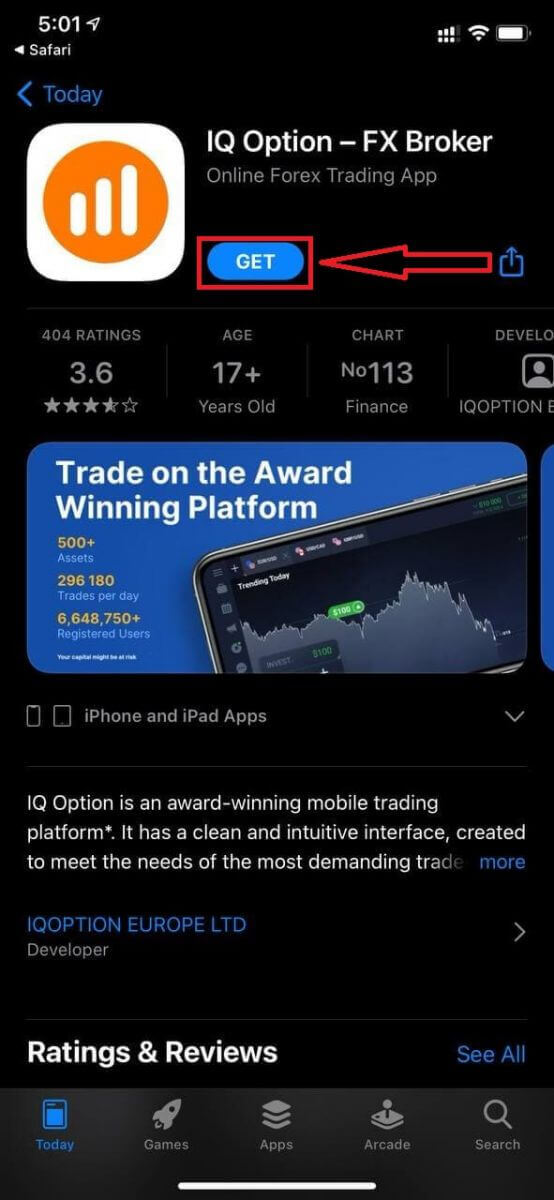
Wait for the installation to complete. Then you can sign up on IQ Option App and log in to start trading.
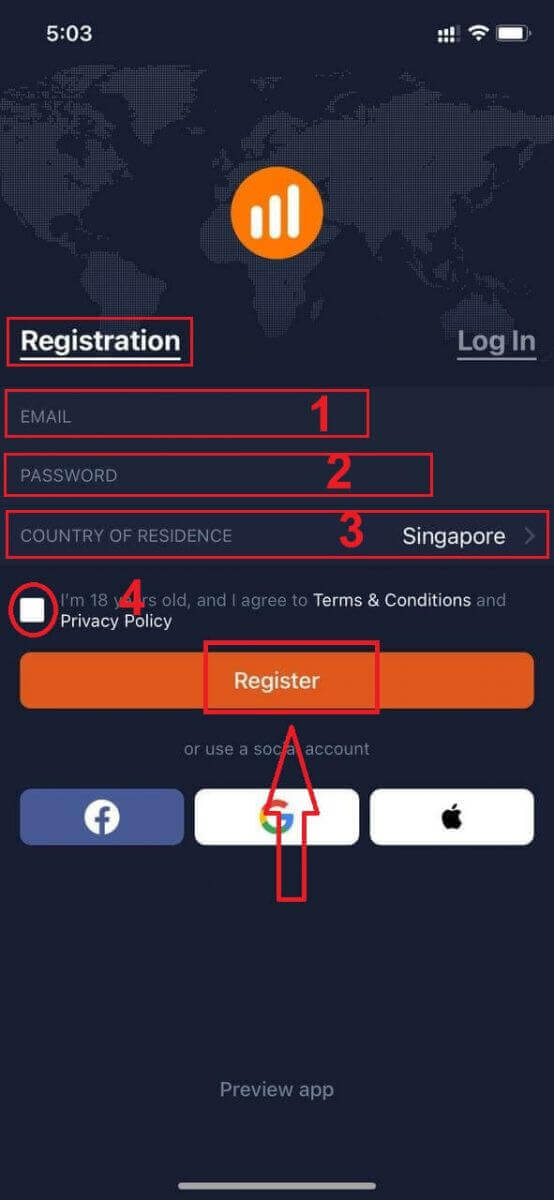
Actually, it is pretty simple to open an account through iOS App:
- Enter a valid email address.
- Create a strong password.
- Select your country of permanent residence
- Check "Terms Conditions" and click "Register"
Congratulation! You have registered successfully, click "Trade on Pratice" for Trading with Demo Account.
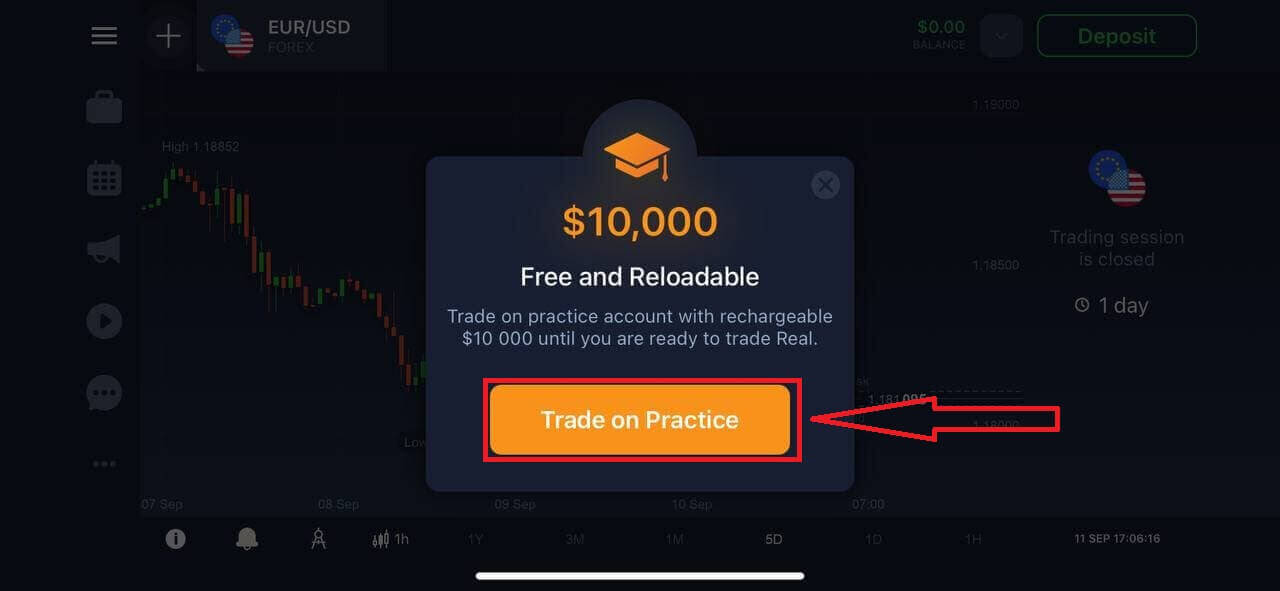
You have $1,000 in Demo Account. A demo account is a tool for you to get familiar with the platform, practice your trading skills on different assets, and try out new mechanics on a real-time chart without risks.
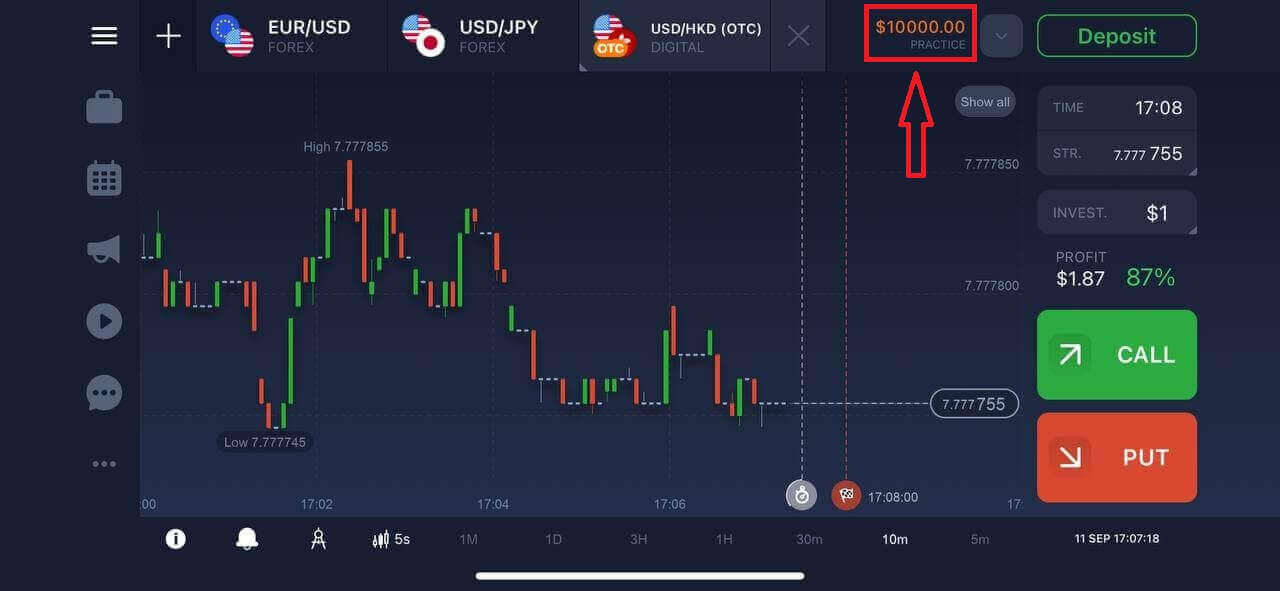
If you already work with this trading platform, log in to your account on iOS mobile device.
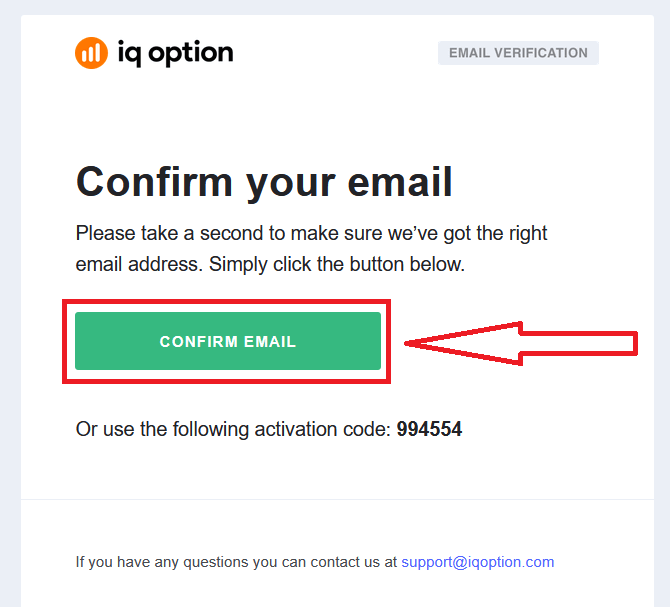
Finally, you access your email, IQ Option will send you a confirmation mail. Click the link in that mail to activate your account. So, you will finish registering and activating your account.
How to Download and Install IQ Option App on Android Phone
IQ Option trading app for Android is considered to be the best app for online trading. Thus, it has a high rating in the store, there also won’t be any problems with trading and transferring funds.Download the official IQ Option mobile app from Google Play store or click here. Simply search for “IQ Option - Online Investing Platform” app and download it on your Android Phone.
Get the IQ Option App for Android
Click on [Install] to complete the download.
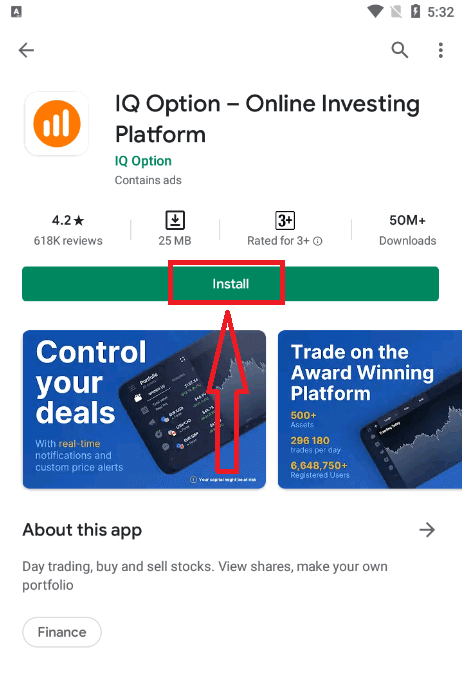
Wait for the installation to complete. Then you can sign up on IQ Option App and log in to start trading.
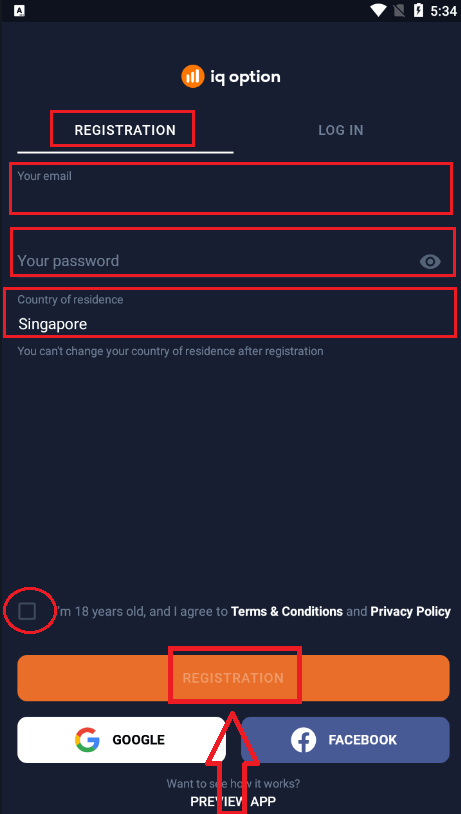
Actually, it is pretty simple to open an account through Android App too. If you want to register through It, follow these easy steps:
- Enter a valid email address.
- Create a strong password.
- Select your country of permanent residence
- Check "Terms Conditions" and click "Registration"
Congratulation! You have registered successfully, click "Trade on Practice" for Trading with Demo Account.
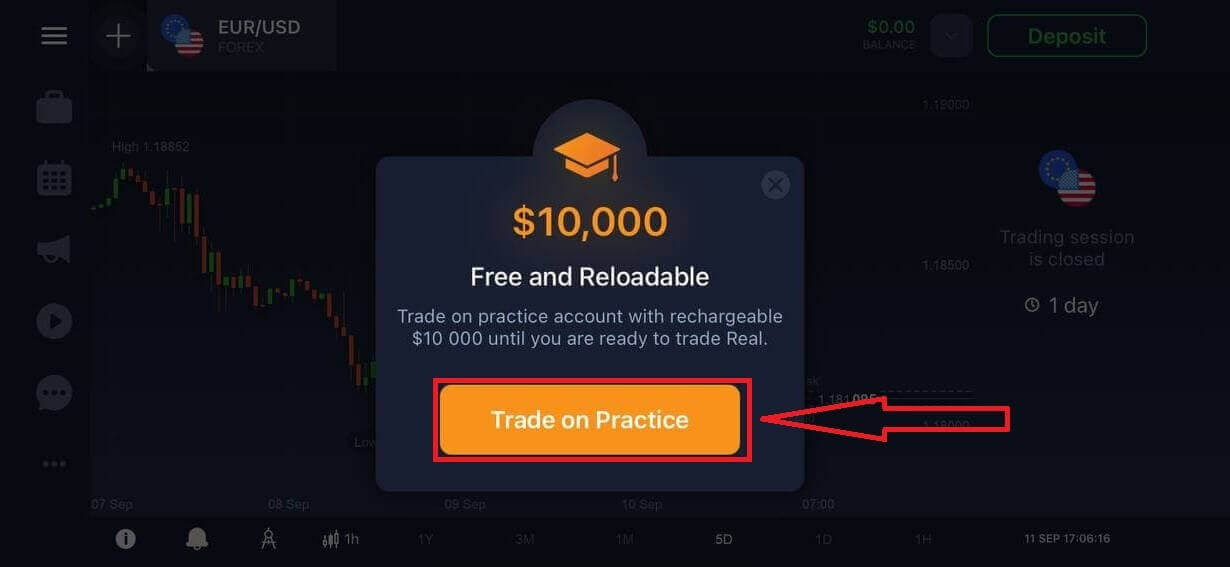
You have $10,000 in Demo Account. A demo account is a tool for you to get familiar with the platform, practice your trading skills on different assets, and try out new mechanics on a real-time chart without risks.
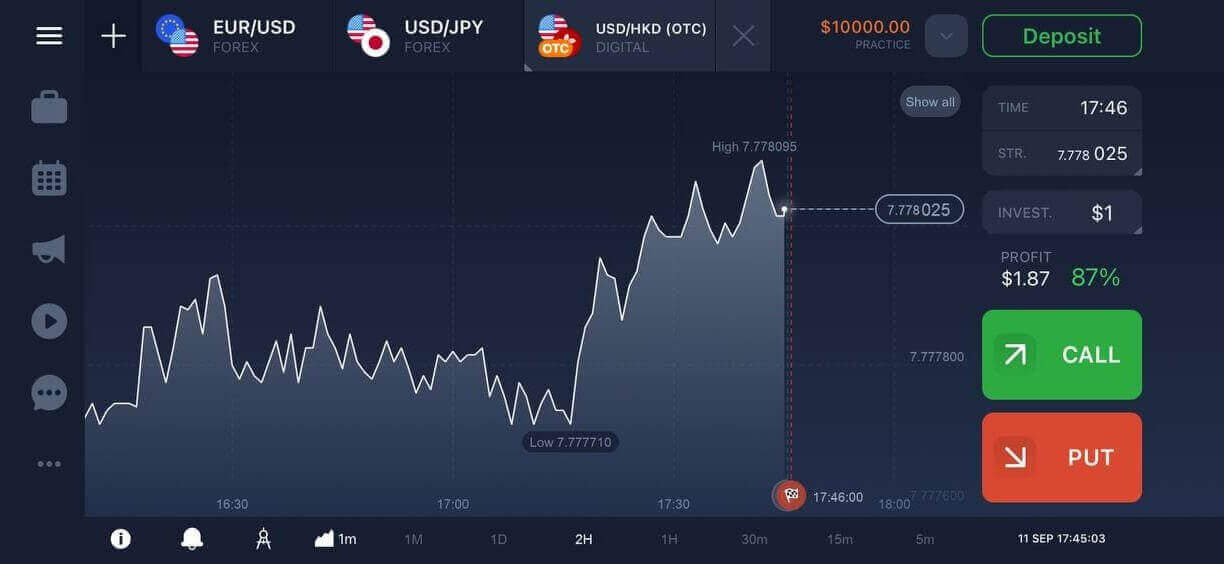
If you already work with this trading platform, log in to your account on Android mobile device.
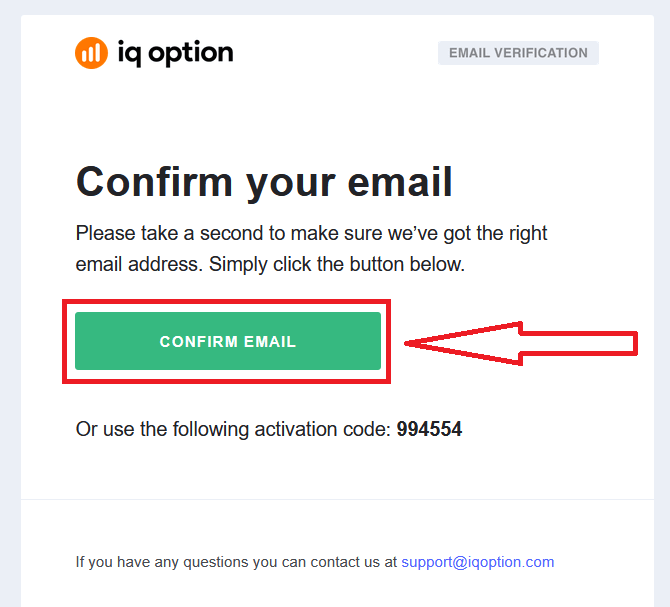
Finally, you access your email, IQ Option will send you a confirmation mail. Click the link in that mail to activate your account. So, you will finish registering and activating your account.
FAQs
IQ Option generally supports modern Android and iOS devices running the current major OS releases; you’ll need adequate free storage (typically 100–200 MB free), a stable internet connection, and Google Play or App Store access. Older or heavily modified systems may have limited functionality or fail to install.
Open Google Play, search for IQ Option, tap Install; if Play Store access is blocked, download the official APK from the broker’s recommended source, enable Install unknown apps for your browser, open the APK to install, then grant required permissions. On iOS, open the App Store, find IQ Option, tap Get, then open and sign in. After installation, update the app and sign into demo to check functionality.
First check storage space, restart your device, and ensure your Android version meets minimum requirements. If Play Store shows errors, clear the Play Store cache and updates, sign out and back into Google, or remove partial installs. For APK installs, verify the file isn’t corrupted, re-download from an official source, and allow Install unknown apps in settings. If a signature mismatch or permission denial continues, uninstall older app versions before retrying and contact support with the exact error message.
You can usually log into demo or limited live features immediately after installing, but full live trading and withdrawals often require account verification. Use the app to upload government ID and proof of address as requested; documents should be clear and match your account details. Verification unlocks deposit/withdrawal options and removes certain account limits.
Only install from the Apple App Store or Google Play when possible and check the publisher name, app icon, and user reviews. If using an APK, obtain it from the broker’s official download guidance and verify file integrity. Keep your device OS updated, enable device security (PIN/biometrics), avoid public Wi‑Fi for trading, and never share login credentials. Enable any available two‑factor authentication and monitor account activity for unusual access.